

Punk Workshop Ultra BOX HitBox Controller SOCD Supported Fighting Stick for PC with PKB 2040 PWS V1 Mechanical Buttons


Punk Workshop Ultra BOX HitBox Controller SOCD Supported Fighting Stick for PC with PKB 2040 PWS V1 Mechanical Buttons
- Free worldwide shipping
- Pre-ship QC
- Tracked delivery
- Arrives Nov 9 – Nov 18
- Import duties included
Defective, damaged or wrong item? Free replacement or refund — just send us a short video. Details
Product details & specifications
SPECIFICATIONS
Age: >8 Years
Brand Name: Sinoarcade
High-concerned chemical: none
Item: Punk Workshop Ultra HitBox
Model Number: Punk Workshop Ultra HitBox
Origin: Mainland China
Type: Coin Pusher
is_customized: Yes
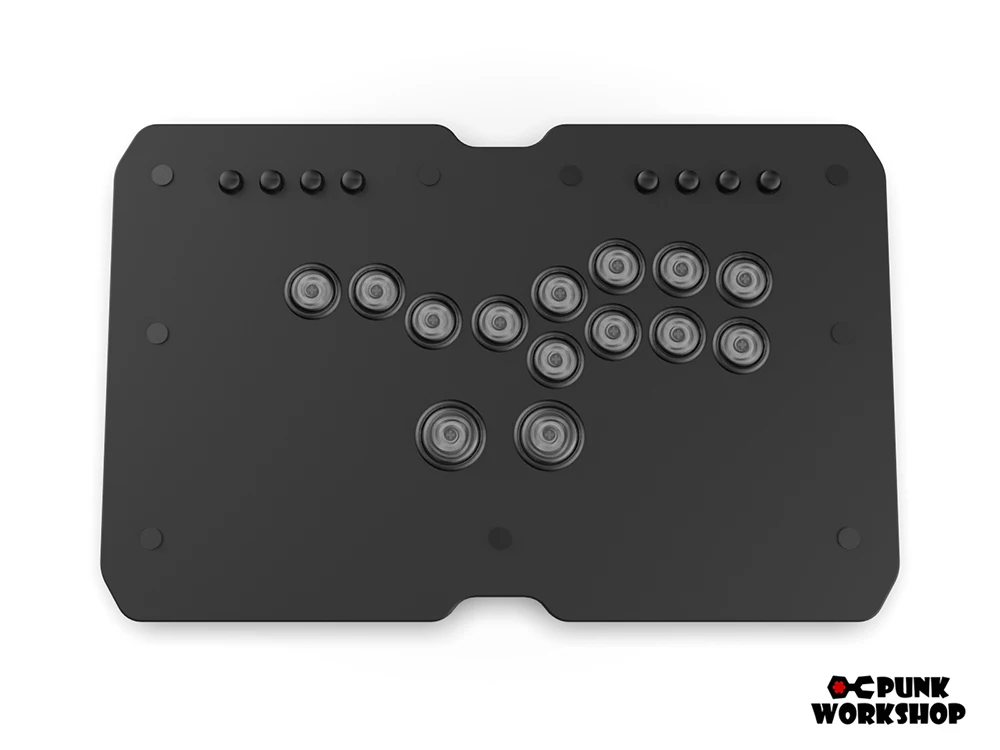
Punk Workshop Ultra BOX HitBox Controller Layout E SOCD Supported Fighting Stick for PC with PKB 2040 PWS V1 Mechanical Buttons
The Fighting Controller is a unique controller not only because it allows you to input SOCDs, but it also gives you the the ability to switch among many SOCD Resolutions. The controller has 3pcs Mechanical Buttons and 1 Mechanical Buttons on the left side of the controller, instead of the traditional analog joystick, with 8pcs Mechanical Buttons for the action buttons on the right side of the controller. The controller is compatible with PC/Android supports PC/Android/Switch/PS4(PS4 needs to use the original handle to guide the settings to use, ome games may not be compatible)by using Zero Delay Arcade USB Encoder with SOCD Supported.
Features
4pcs mechanical push buttons as directional keys
8pcs mechanical push buttons as action buttons
Different Arcade USB Encoders inside available
2 buttons on the side as start and select buttons
SOCD supports 3 modes to choose from (switched by key combination):
Up priority mode: ↑ + ↓ = ↑, ← + → = medium
Neutral mode: ↑ + ↓ = medium, ← + → = medium
Last Input Priority: Press and hold ← and press → = →, then release and press ← = ← again. Applies to both axes.
You can swap the switches to customize the Feel, Tension, and Actuation at your wishes
Specification:
Cable type: USB (Type B to Type A)
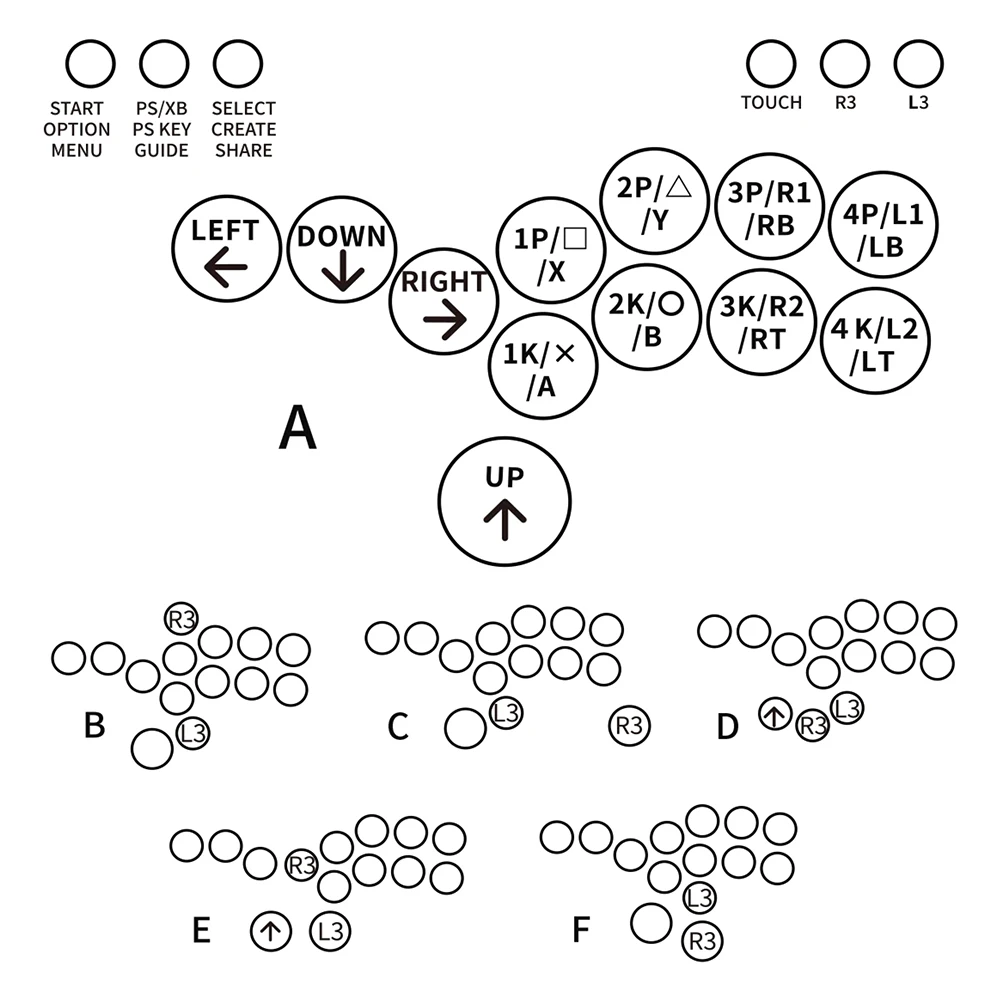
Buttons: socd lsdprs home back start L3 R3
Cable length: about 3m
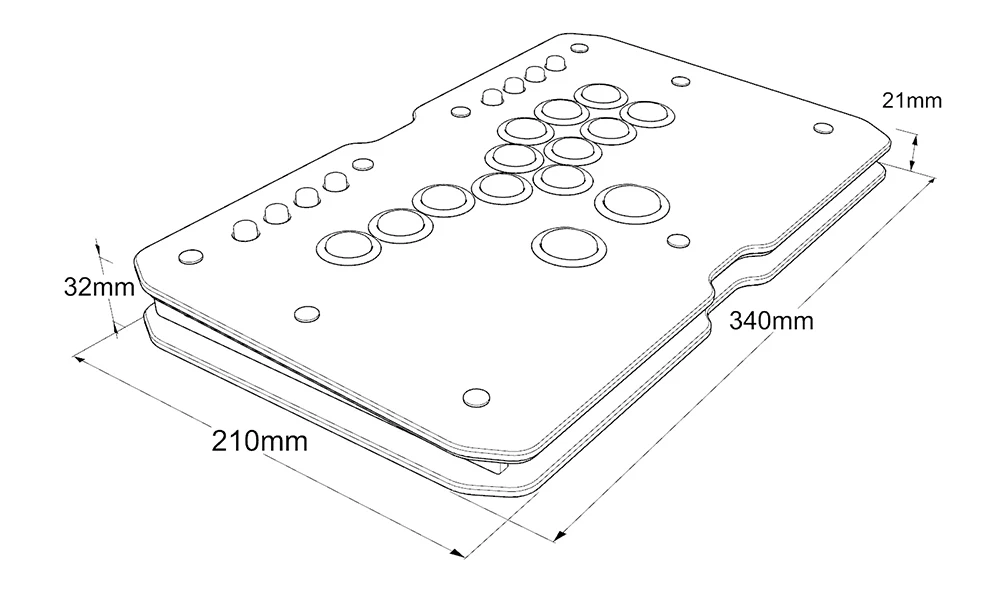
Panel Material: Acrylic
Panel Size: 340 x 210mm
Product Height: 27mm
Product Weight: 2.1kg
Function Buttons:
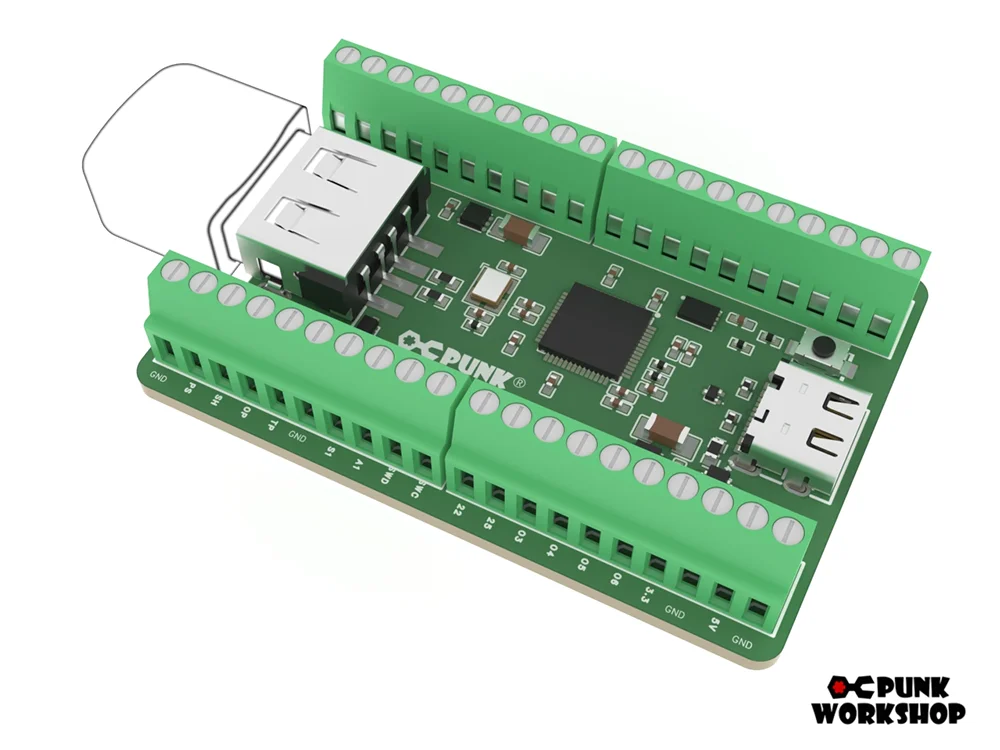
About Punk Workshop PKB 2040 Board
The "PKB 2040" is designed specifically for fighting game play in PC environments, following the same specialized design as the previous boards. It will be shipped with a focus on stability, with unnecessary features turned off. Please note that the "PKB 2040" is intended for use with PCs, and support for use on other platforms is not available. However, it can be used on other gaming platforms, including PS5, by utilizing conversion devices such as the Brook Wingman FGC and Magicboots.
Note: "SOCD settings" refer to the function that controls the behaviour when opposing directional inputs are made simultaneously. In addition to the "SOCD settings," customers will need to perform additional configurations for other functions supported by the GP2040-CE.
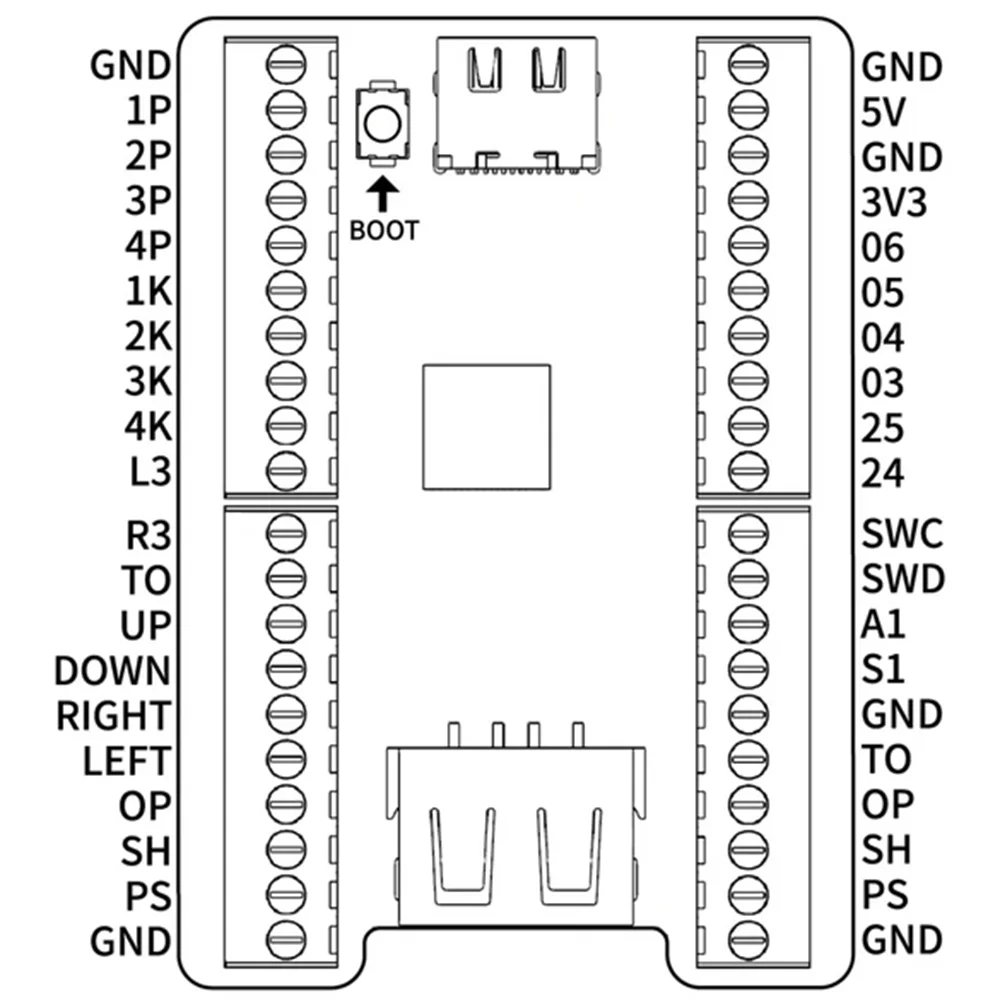
SOCD Cleaner Mode Switching
All modes are activated by pressing the three buttons START+BACK+ Button at the same
time. Only one mode can be activated at a time.
START + BACK + 1P Neutral Mode. ↑and ↓pressed simultaneously results in a neutral input.
← and → when pressed simultaneously also results in a neutral input.
START + BACK + 2P Vertical Priority Mode, ↑and ↓when pressed simultaneously, the direction that
was pressed last takes priority. ← and → pressed simultaneously results in a
neutral input。
START + BACK + 3P Horizontal Priority Mode. When ← and → and pressed simultaneously, the
direction that was pressed last takes priority. ↑and↓pressed simultaneously
results in a neutral input.
START + BACK + 4P Last Input Direction Priority Mode. When↑and↓are pressed simultaneously,
the direction that was pressed last takes priority. When ← and → are
pressed simultaneously, the direction that was pressed last takes priority.
START + BACK + 1K. ↙→ Input Optimization Mode. Makes inputting ↙→ command easier.
SOCD function is the same as Vertical Priority Mode.
START + BACK + 2K ← ↙↓↘→Input Optimization Mode. Makes inputting ←
↙↓↘→ command easier. SOCD function is the same as Neutral Mode.
START + BACK + 3K ↓↘→ Input Optimization Mode. Makes inputting ↓↘→ command easier.
SOCD function is the same as Neutral Mode.
START + BACK + 4K Switches stick input between analog stick and LS.
Pls Note:
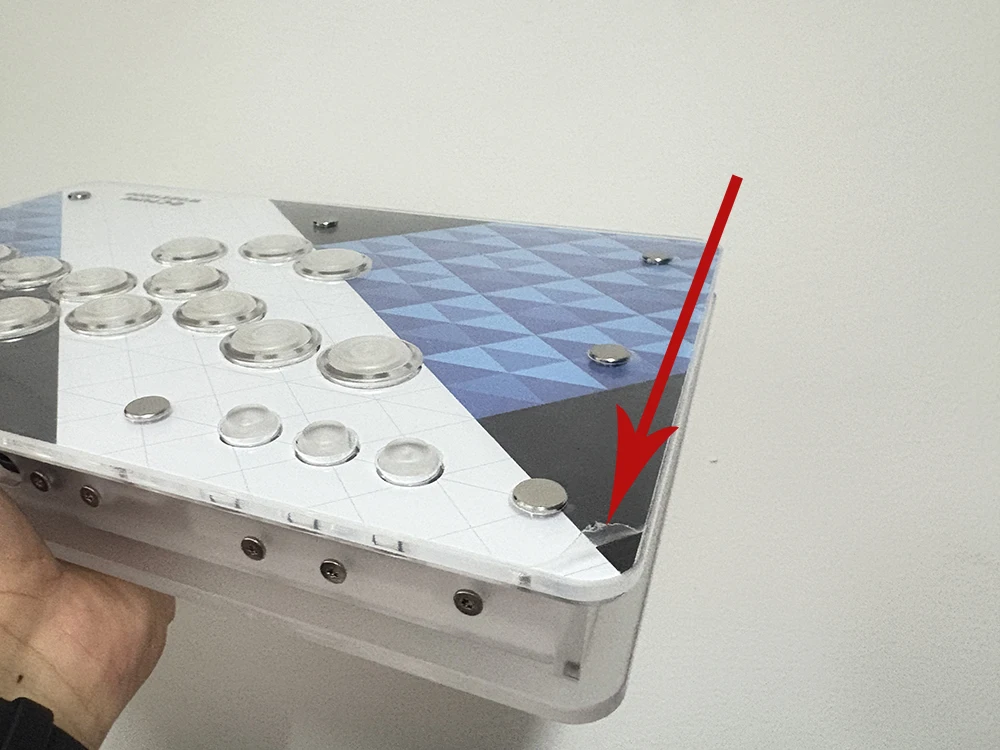
Each artwork hitbox is covering with protective film, if you get the hitbox with some scratches, don't worried, please just just remove the protective film from one corner. Hope you enjoy it.
This Linsting Include:
1pcs Ultra hitbox
