DSpico V1.3 Open-Source Flash Cart 32Mbit RP2040 for NDS/DSi/3DS


DSpico V1.3 Open-Source Flash Cart 32Mbit RP2040 for NDS/DSi/3DS
- Free worldwide shipping
- Pre-ship QC
- Tracked delivery
- Arrives Nov 4 – Nov 13
- Import duties included
Defective, damaged or wrong item? Free replacement or refund — just send us a short video. Details
Product details & specifications
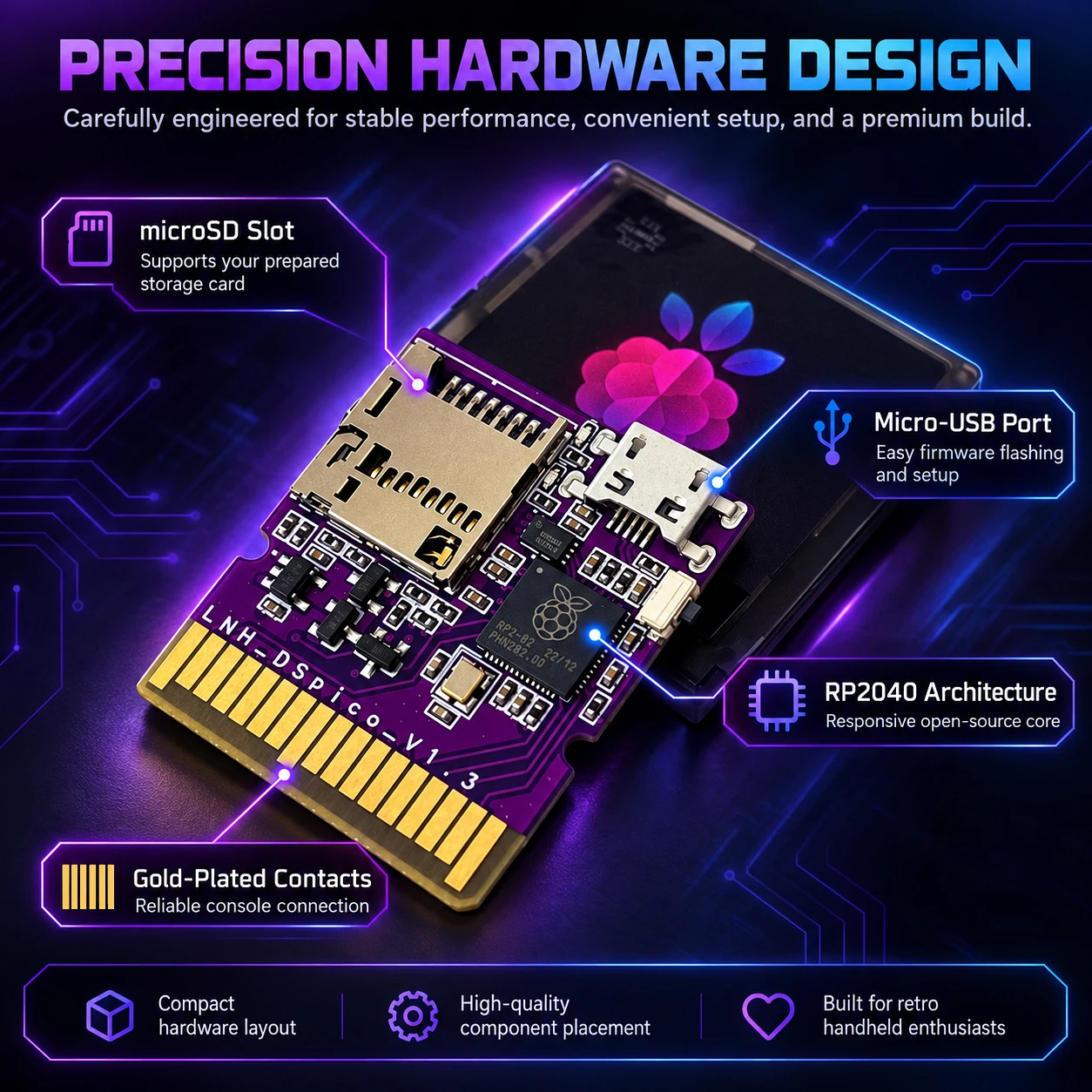
The DSpico V1.3 is the full open-source version of this DS-family flash cartridge, with no functions removed.
- Updatable firmware and upgraded 32Mbit flash, twice the capacity of the common 16Mbit version
- Micro-USB version with a Micro-USB data cable included
- microSD card not included: you need to prepare and configure your own before use
- Every unit is tested on a compatible console before dispatch
- Colors: Trans Black, Trans Purple or Trans White (all without SD)
SPECIFICATIONS
Accessories Type: Accessory Kits
Author: LNH-team
Bluetooth range: /
Cable features: Retractable
Choice: yes
Compatible Brand/Model: Nintendo
Compatible Nintendo Model: Nintendo 3DS,Nintendo Dual Screen,3DS XL,NEW 3DS XL
Control Method: Touch
Controls Type: Others
Electric: No
Enclosure material: Others,Acrylonitrile butadiene styrene (abs)
Fastening type: Others
Full Open-Source Version: Updatable firmware
Harness Feature: Others
High-concerned chemical: none
Micro USB: 32Mbit Flash
Model Number: Dspico V 1.3
Occasion: Others
Origin: Mainland China
Platform: Other
Portable: Yes
Reusability: Reusable
Sensor Technology: Others
With USB: Yes
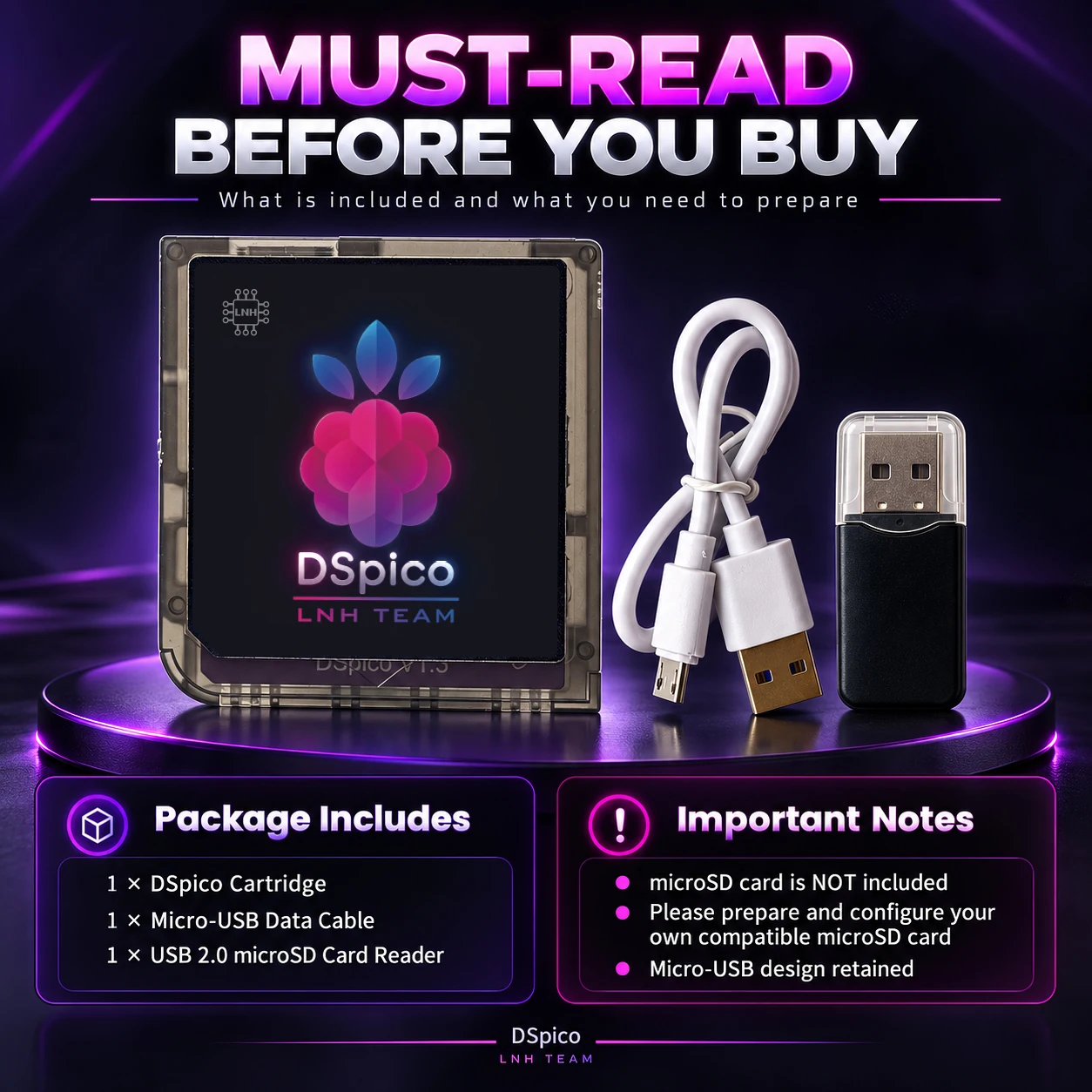
Must Read Before Buying
**Full Open-Source Version** — Complete
project version with no functions removed.
**Upgraded 32Mbit Flash** — Twice the capacity of the common 16Mbit version.
**microSD Card Not Included** — You need to prepare and configure your own microSD card before use.
**Micro-USB Version** — This DSpico uses a Micro-USB port.
**Micro-USB Cable Included** — A Micro-USB data cable is included in the package.
**Console-Tested Before Shipping** — Every DSpico unit is tested on a compatible console before dispatch.
About DSpico
What is the DSpico?
**DSpico is an open-source Slot-1 flash cartridge for DS-family consoles.**
Built around the RP2040 platform, it uses a microSD card for storage and is designed for homebrew, compatible software loading, and development use.
What can it do?
**DSpico gives you a flexible way to use and explore DS software.**
* Launch compatible DS homebrew
* Load supported software from a microSD card
* Support save files
* Use custom menus and themes
* Support an optional cheat database
* Support selected advanced DSi-related functions
* Useful for development, testing, and hardware research
**Note:** Some advanced functions may require additional user-supplied system files.
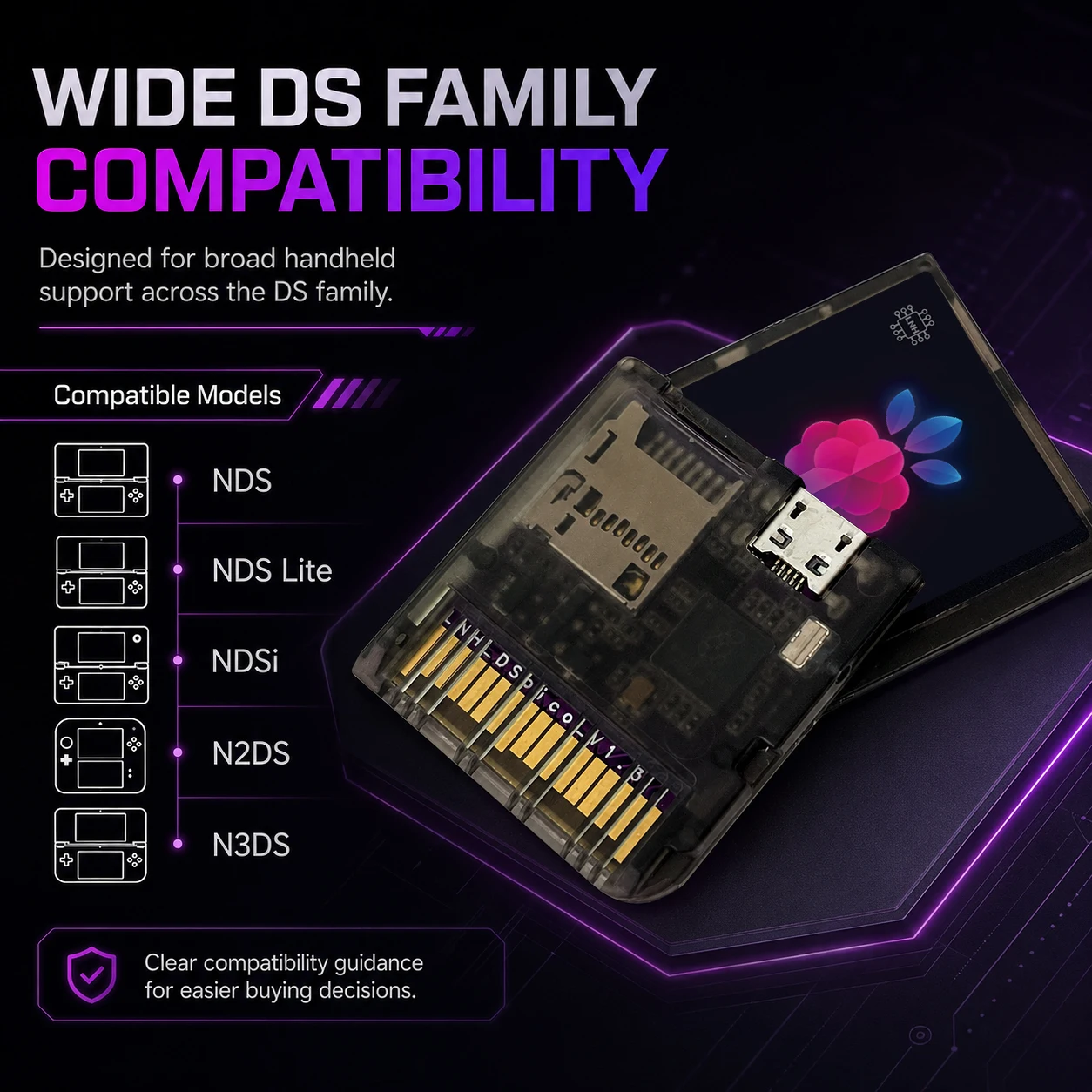
Compatible Consoles:
DS / DS Lite / DSi / DSi XL / 2DS / New 2DS XL / 3DS / 3DS XL / New 3DS / New 3DS XL
DSpico is designed for DS, DSi, and 3DS-family consoles and supports compatible DS/DSi software, homebrew, save functions, and supported DSi-mode features.
Important:
On 2DS/3DS-family consoles, DSpico runs DS/DSi-mode software only. It does not support native 3DS games.
Unmodified DSi/3DS-family consoles require the appropriate DSpico firmware/boot configuration.
Software compatibility may vary depending on the game, Pico Loader version, firmware, and feature used.
Some advanced DSi-related functions require additional user-supplied system files.
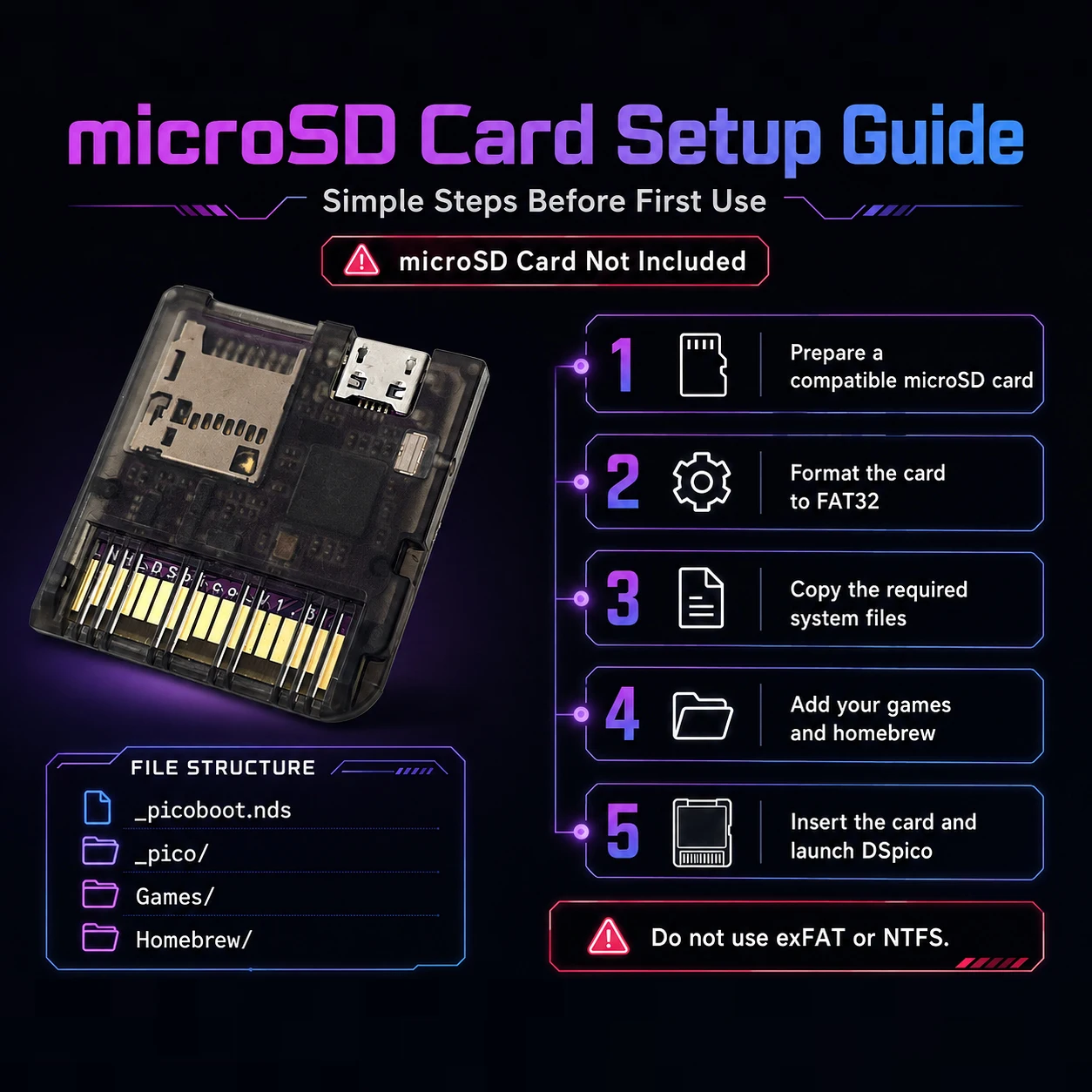
DSpico microSD Card Setup Guide
**microSD Card Not Included**
You need to prepare and configure your own microSD card before using DSpico.
---
## 1. Prepare the microSD Card
Use a genuine and reliable microSD card.
Recommended format:
**File System:** FAT32
**Partition Style:** MBR
**Cluster Size:** 32 KB recommended
**Do not use exFAT or NTFS.**
---
## 2. Prepare the Required DSpico Files
Download the required DSpico launcher and loader files.
Your microSD card should contain the following structure:
```text
microSD Root
│
├── _picoboot.nds
│
├── _pico/
│ ├── picoLoader7.bin
│ ├── picoLoader9.bin
│ ├── aplist.bin
│ ├── savelist.bin
│ └── patchlist.bin
│
├── Games/
└── Homebrew/
```
If the launcher file is named:
```text
LAUNCHER.nds
```
rename it to:
```text
_picoboot.nds
```
and place it in the **root directory** of the microSD card.
---
## 3. Check the `_pico` Folder
Make sure the required DSpico-compatible loader files are inside:
```text
/_pico/
```
Required files include:
```text
picoLoader7.bin
picoLoader9.bin
aplist.bin
savelist.bin
patchlist.bin
```
Use the **DSpico-compatible Pico Loader version**.
Do not rename these files unless specifically instructed by the project documentation.
---
## 4. Add Your Software
You can create folders such as:
```text
/Games/
/Homebrew/
```
Copy your compatible `.nds` files and homebrew applications into these folders.
You may organize your files into additional folders if needed.
---
## 5. Optional Cheat Database
For optional cheat support, place a compatible:
```text
usrcheat.dat
```
inside:
```text
/_pico/
```
The cheat database is **optional and is not built into DSpico**.
---
## 6. Insert the microSD Card
After copying all required files:
1. Safely eject the microSD card from your computer.
2. Insert the microSD card fully into DSpico.
3. Insert DSpico into your console.
4. Power on the console.
DSpico should start from the configured launcher.
---
## Important Notes
**microSD Card Not Included**
You must prepare and configure your own card.
**Use FAT32 Only**
Do not use exFAT or NTFS.
**Check the Root Directory**
`_picoboot.nds` must be placed directly in the microSD card root.
**Check the `_pico` Folder**
Make sure all required loader and support files are present.
**Use the Correct DSpico Loader**
Do not use an incompatible Pico Loader build.
**Advanced DSi Functions**
Some advanced DSi-related functions may require additional user-supplied system files.
**Firmware Updates**
DSpico `.uf2` firmware is updated through the **Micro-USB / RP2040 BOOTSEL interface**. Do not copy `.uf2` firmware files to the microSD card.
**If the Card Is Not Detected**
Recheck the FAT32 format, file structure, required files, and microSD card quality.
DSpico Troubleshooting Guide
**Before troubleshooting:** Use the latest stable DSpico Firmware, Pico Launcher, and the **DSpico-specific Pico Loader build**. Always back up your microSD card and save files before making changes.
1. **DSpico Is Not Detected / Hangs at the DS(i) Splash Screen**
If this started after reflashing or installing custom firmware, restore a known-good DSpico firmware build. The official build requires a correctly prepared bootloader and the proper firmware build configuration. For a pre-flashed unit that has never been modified, test it again before changing the firmware.
2. **Pico Launcher Does Not Start**
Make sure `_picoboot.nds` is placed directly in the microSD root. If your launcher file is named `LAUNCHER.nds`, rename it to `_picoboot.nds`. The `_pico` folder must also be in the root directory.
3. **“Failed to Mount SD Card” / Blue Screen**
The microSD card could not be mounted. Back up the card, reformat it correctly, copy the required files again, and retry. If the problem remains, test another genuine microSD card. When using WRFUxxed, also make sure the exploit uses the correct DSpico DLDI driver.
4. **Random Freezes / Loading Failures / “Card Not Found”**
Update DSpico Firmware to **v1.0.1 or later**, as v1.0.1 fixed an SD write race condition affecting various cards. Verify the microSD with **H2testw** on Windows or **F3** on Linux/macOS. If errors or freezes continue, try another microSD card; compatibility problems with some card controllers are still under investigation.
5. **microSD Works on a PC but DSpico Still Fails**
Reformat the card using a proper SD/FAT32 formatting tool. The official DSpico guide specifically advises against the standard Windows formatting utility. For cards **64GB or larger**, the referenced SD setup guide recommends **FAT32 with 32KiB clusters**.
6. **Red Screen / “Failed to Open Pico Loader File”**
Check that both files exist exactly here: `/_pico/picoLoader7.bin` and `/_pico/picoLoader9.bin`. For DSpico, use the **DSPICO build of Pico Loader**, not a build made for another flashcard platform.
7. **Games Do Not Start After Updating Pico Loader**
Check the complete `/_pico/` folder. Current Pico Loader requires `picoLoader7.bin`, `picoLoader9.bin`, `aplist.bin`, `savelist.bin`, and `patchlist.bin`. Do not mix loader binaries intended for different flashcard platforms.
8. **White Screen / “Failed to Load ARM9” or “ARM9i”**
First update Pico Loader and test a clean, unmodified dump of the software you legally own. Pico Loader still has title-specific compatibility issues, including some modified or fan-patched ROMs that white-screen even when the original game works correctly. This does not automatically indicate defective DSpico hardware.
9. **Some ROM Hacks Do Not Boot**
Compatibility with modified ROMs is not guaranteed. Several Pokémon ROM hacks and other modified titles currently have open white-screen reports, while their original unmodified versions work. Test the original software first to separate a loader-compatibility issue from a hardware problem.
10. **DSiWare or Encrypted DS Software Does Not Start**
A **DS ARM7 BIOS dump** is required at `/_pico/biosnds7.rom`. DSiWare also requires additional files and folders dumped from your own DSi/3DS NAND, including `photo`, `shared1`, `shared2/0000`, and `sys/TWLFontTable.dat`.
11. **DSiWare Still Shows a White Screen After Correct Setup**
Some DSiWare compatibility problems remain unresolved even with the required files and current software. Update all DSpico components and verify your files first. If only certain titles fail, the problem may be a current Pico Loader compatibility limitation rather than the cartridge itself.
12. **“DSi ROM Detected with Missing DSi Parts”**
The software image may not contain the required DSi data, or the DSi environment may not be fully configured. Verify your own complete dump and the required DSi system files. Do not assume every DSi-enhanced title or DSiWare application is currently compatible.
13. **WRFUxxed Does Not Start / WRFU Tester Stays on Screen**
WRFUxxed requires **WRFU Tester v0.60** and DSpico firmware built with `DSPICO_ENABLE_WRFUXXED` enabled. A blue screen indicates an SD-mount problem; a red screen indicates that the Pico Loader files could not be opened.
14. **DSpico Does Not Enter USB BOOTSEL Mode**
Remove/eject the microSD card and connect DSpico to the PC through Micro-USB. Firmware-equipped DSpico units should then enter BOOTSEL automatically. If necessary, hold the **BOOTSEL** button while connecting the USB cable. Copy the DSpico `.uf2` firmware to the USB drive that appears.
15. **DSi-Mode Homebrew Fails to Start**
Update to **Pico Loader v1.7.1 or later**. Version 1.7.1 specifically fixed ARM9 initialization when booting Homebrew in DSi mode.
16. **Old Save Files Cause Problems**
Back up the save file and test the game without the imported save. Cross-loader save compatibility is not guaranteed, and open Pico Loader reports include problems with saves created by other flashcards/loaders as well as title-specific save bugs. Never delete your only copy of a save while troubleshooting.
17. **DSi XL Shuts Down or Crashes When the Lid Is Closed**
This is a currently reported, title-dependent issue with some DSi XL setups. Reports indicate that different microSD cards, external power, or another loading method may change the behavior, but there is no universal confirmed fix yet.
18. **R4 Software Cannot Access a Large microSD Card**
DSpico's optional R4 emulation has a specific addressing limit: R4 software requires a card of **4GB or smaller**, or a usable partition located within the first 4GB of a larger card. This restriction applies to R4 emulation, not normal DSpico/Pico Launcher operation.
19. **Cannot Launch Retail Software from the Console’s DSi SD Card**
This is a current Pico Loader limitation. Retail software cannot presently be launched from the console's DSi SD card; Homebrew is supported there. Use the microSD card installed in DSpico for normal DSpico operation.
20. **Cannot Return to Pico Launcher from a Retail Game**
This is currently a limitation, not a fault. Return-to-loader is not yet supported for retail games. Power-cycle or return through the normal console workflow when required.