RP2040 PICO Advanced V5.6E USB Passthrough Fighting Board for PS4/PC DIY Fight Stick Arcade Hitbox Controller


RP2040 PICO Advanced V5.6E USB Passthrough Fighting Board for PS4/PC DIY Fight Stick Arcade Hitbox Controller
- Free worldwide shipping
- Pre-ship QC
- Tracked delivery
- Arrives Nov 5 – Nov 16
- Import duties included
Defective, damaged or wrong item? Free replacement or refund — just send us a short video. Details
Product details & specifications
SPECIFICATIONS
Compatible Brand/Model: Nintendo
Compatible Nintendo Model: NINTENDO SWITCH
High-concerned chemical: none
Model Number: PS3
Origin: Mainland China
RP2040 Advanced V5.6E USB Passthrough PICO Fighting Board For PS4/PC DIY Fight Stick Arcade Hitbox Controller
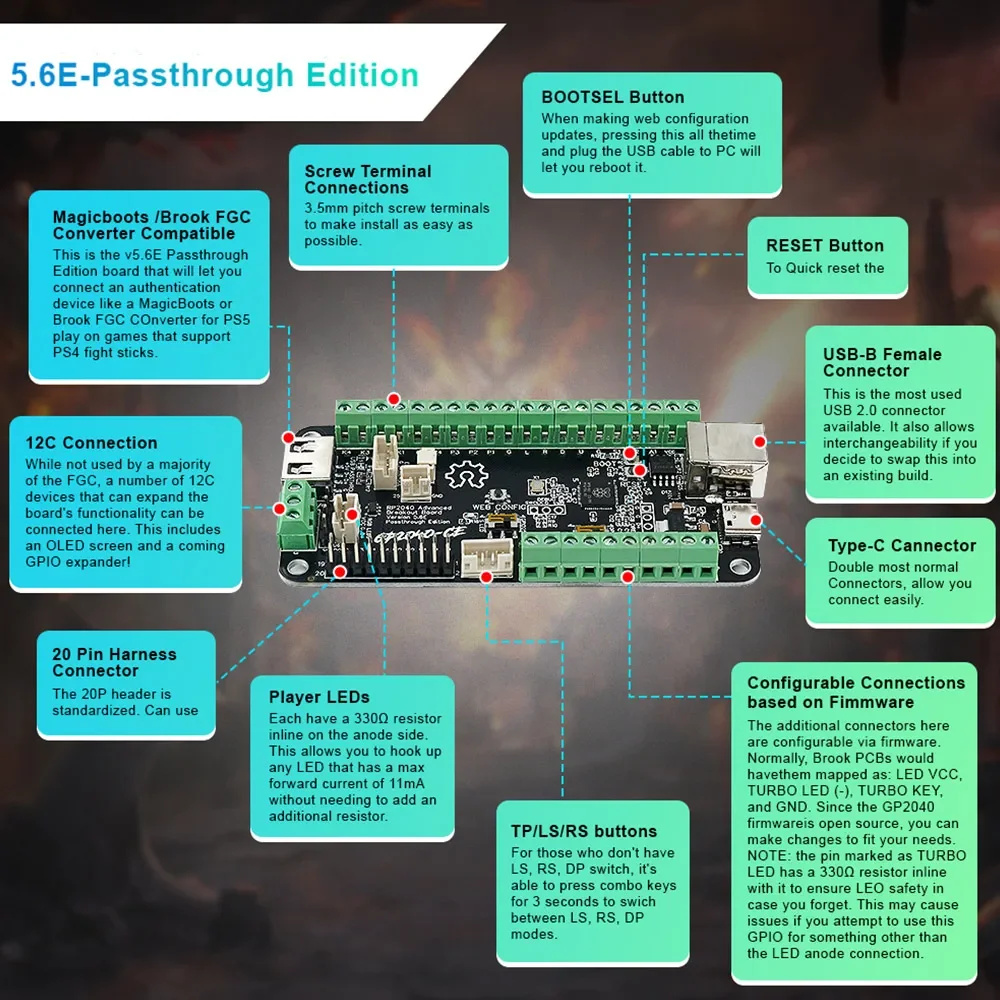
Introdouctions:
The Rp2040 Advanced Breakout Board is game controller with a built-in RP2040 chip.lt offers low latency, multi-platform compatibility, customizability, and many other rich features
Features:
Select from 13 input modes including X-Input, Ps 4/5, Xbox One, D-Input, and Keyboard
•Input latency average of 0.76ms in Xinput and 0.91ms for Ps5.
•Multiple SOCD cleaning modes - Up Priority (a.k.a.Stickless), Neutral, and Second Input Priority.
•Left and Right stick emulation via D-pad inputs as well as dedicated toggle switches.
•Dual direction via D-pad + LS/RS.
•Reversed input via a button.
•Turbo and Turbo LED with selectable speed
•Per-button RGB LED support.
•PWM Player indicator LED support (XInput only).
•Multiple LED profiles support.
•Support for 128x64 monochrome I2C displays - SSD1306, SH1106, and SH1107 compatible.
•Custom startup splash screen and easy image upload via web configuration.
•Support for passive buzzer speaker (3v or 5v).
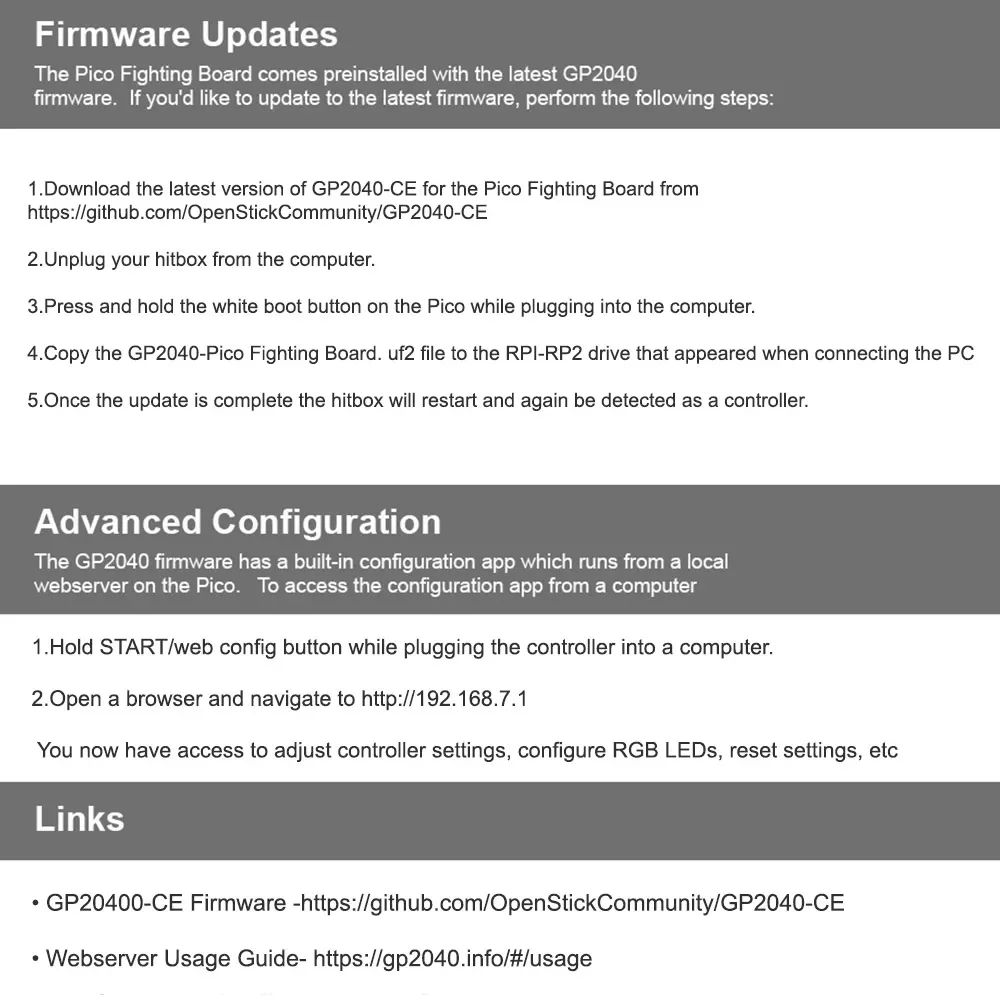
•Built-in, embedded web configuration - No download required!
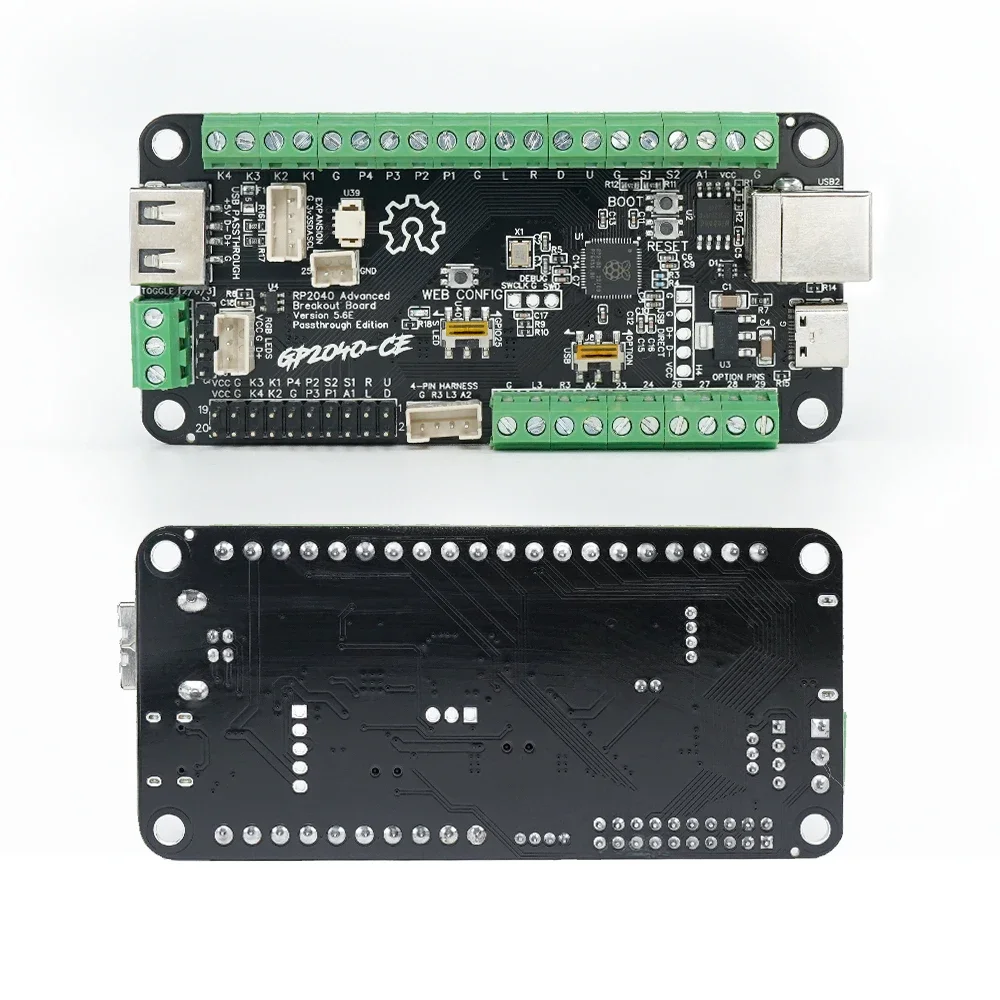
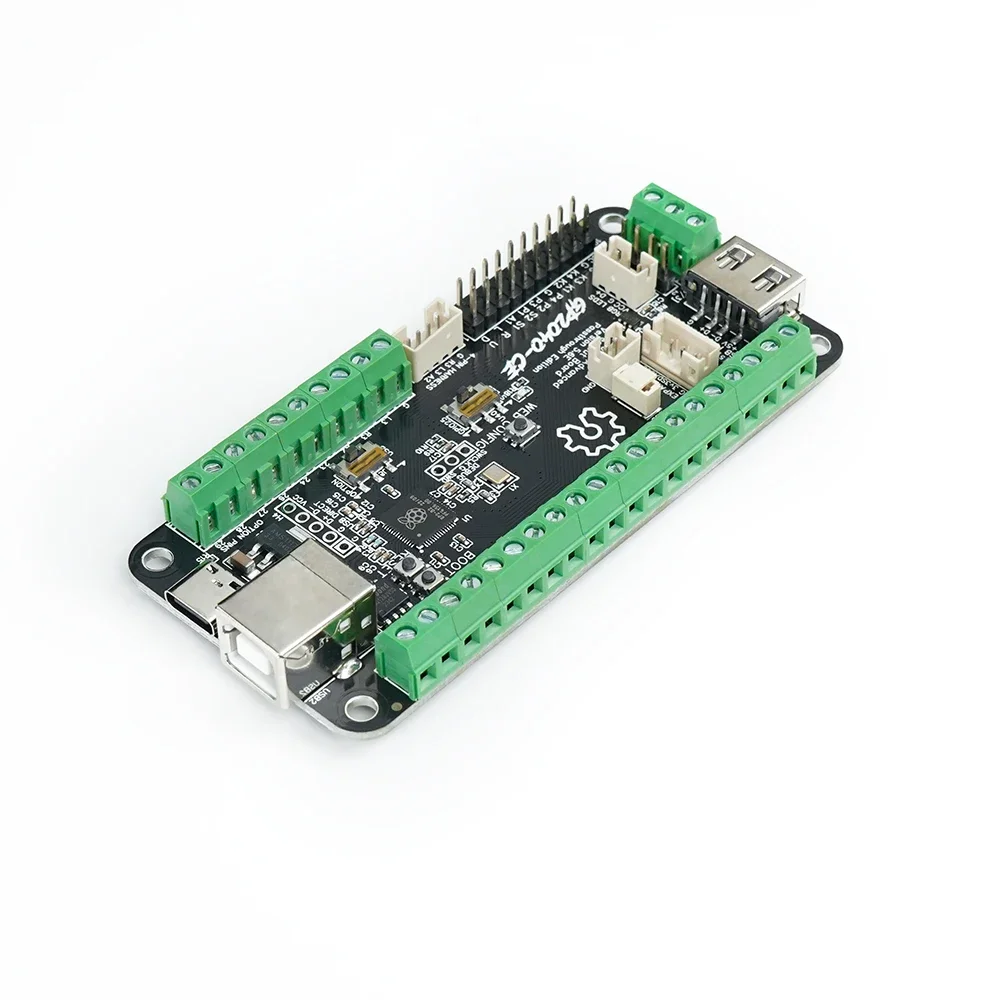
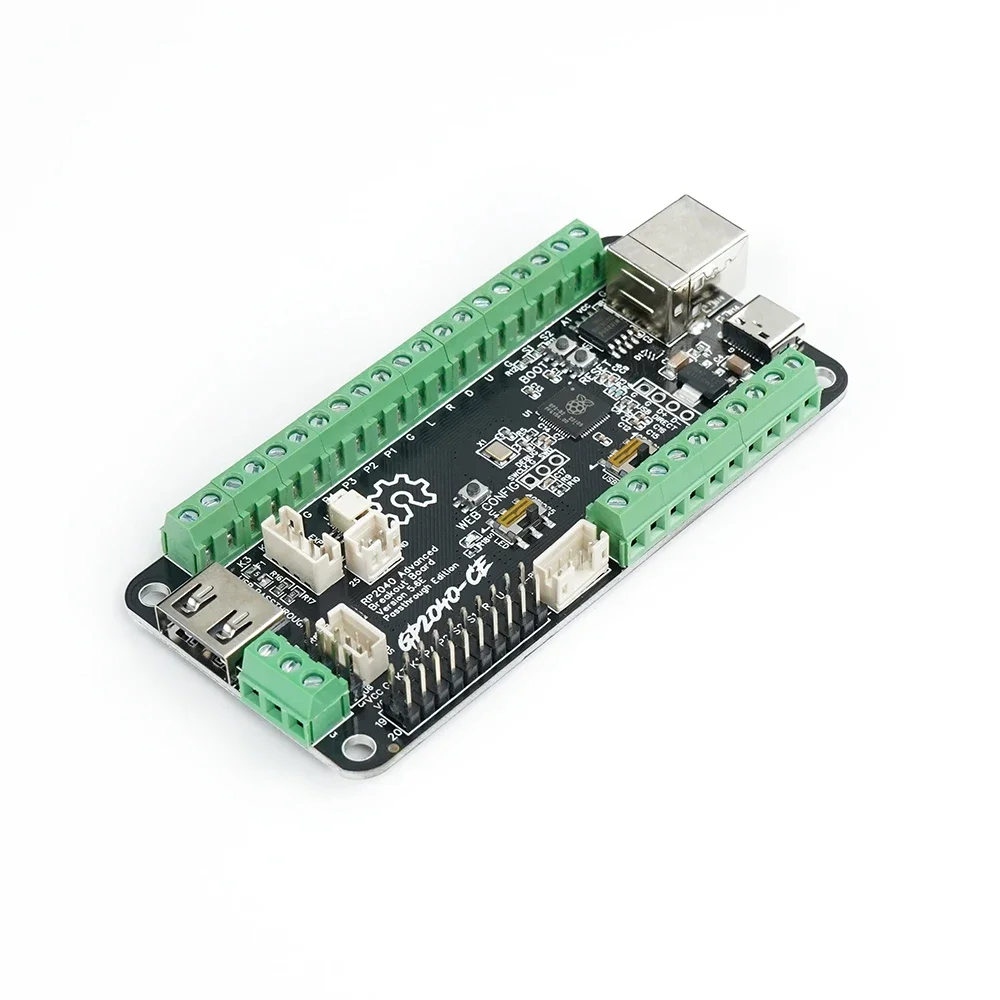
This is the V5.6E Passthrough Edition board that will let you connect an authentication device like a MagicBoots v1.1 for PS5 play on games that support PS4 fight sticks
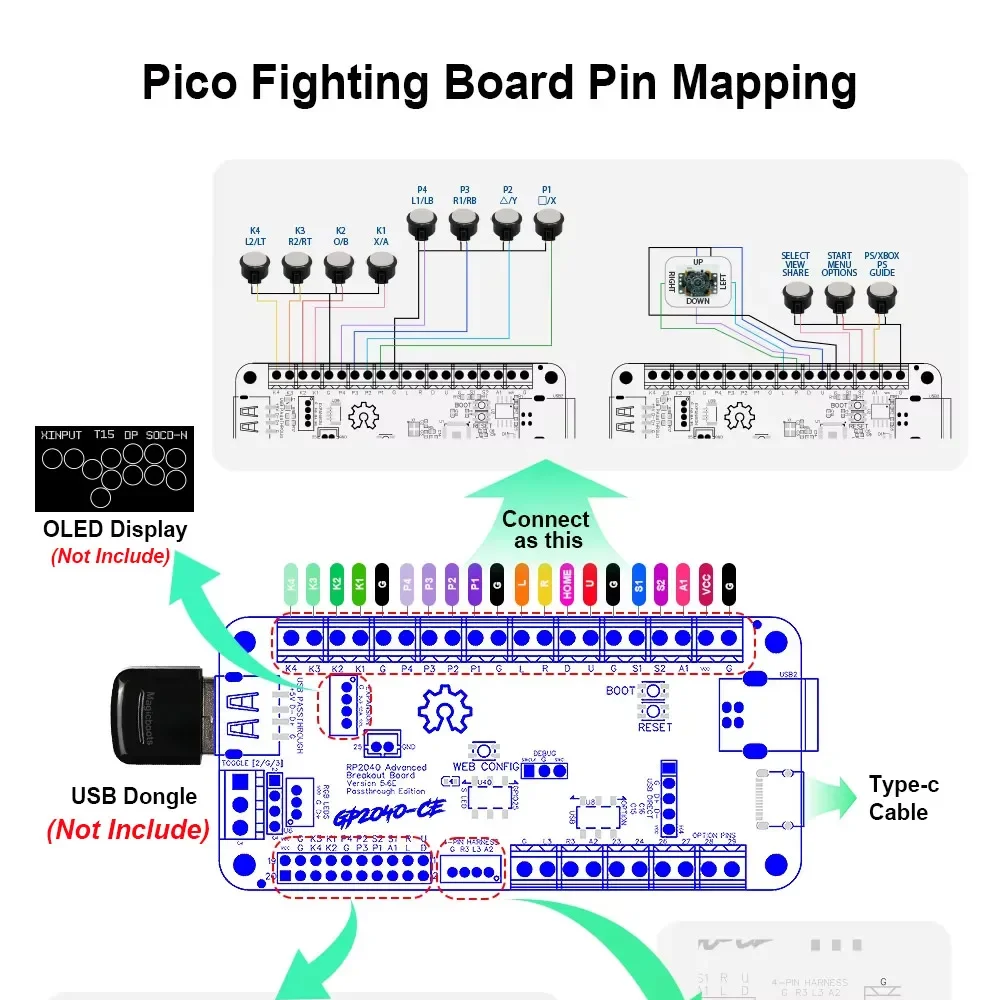
Note:it's comes without usb dongle,you need to buy it yourself.
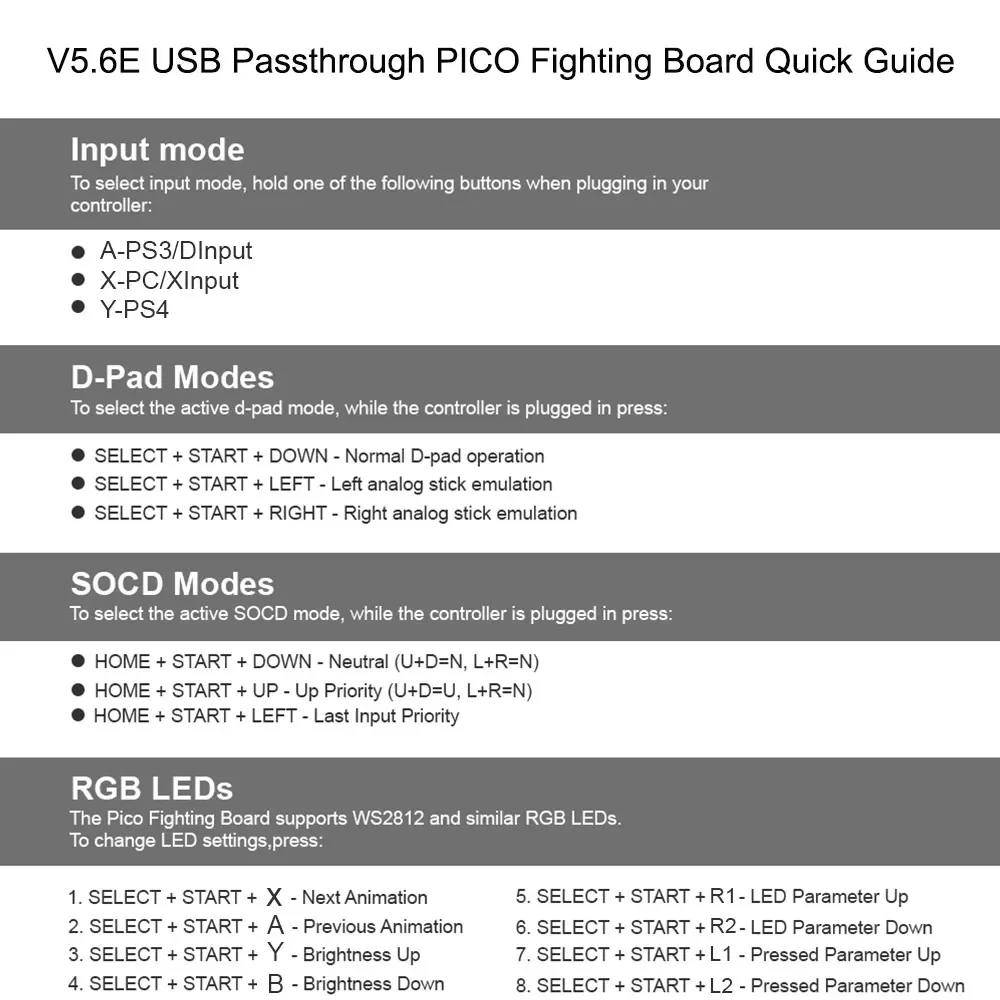
Joystick direction switch mode
Key combination to toggle when connecting a device
• HOME + START + RIGHT = Up and down button swap
Batter mode(Support OLED display)
Press the TURBO key and press the key to trigger the switch
• Batter can be set to (X/Y/R1/L1 A/B/R2/L2)
• speed is adjusted 1-60 times per second (uniform adjustment)
Turn on/off Batter mode :Hold TURBO+(X/Y/R1/L1 A/B/R2/L2)
• Hold TURBO + UP to increase speed
• Hold TURBO + DOWN to slow down the speed
• The speed has a memory function, but the batter status is cleared when the connection is disconnected