Punk Workshop Mini Hitbox V3 SOCD Fighting Stick for Switch/PC


Punk Workshop Mini Hitbox V3 SOCD Fighting Stick for Switch/PC
- Free worldwide shipping
- Pre-ship QC
- Tracked delivery
- Arrives Nov 9 – Nov 18
- Import duties included
Defective, damaged or wrong item? Free replacement or refund — just send us a short video. Details
Product details & specifications
A compact all-button fighting controller with mechanical switches and 3 layout choices.
- Mini Hitbox V3, SOCD supported
- Mechanical-switch buttons
- Magnetic top plate for easy cleaning and part replacement
- Works with Switch and PC (Windows 11 / 10)
- 3 layouts, with carbon fiber case available
SPECIFICATIONS
Age: >8 Years
Brand Name: Sinoarcade
Choice: yes
High-concerned chemical: none
Item: All-Button Fighting Controller
Model Number: All-Button Fighting Controller
Origin: Mainland China
Support: PC PS4
Type: All-Button Fighting Controller
is_customized: Yes
semi_Choice: yes
2026 latest version Punk Workshop All-Button Fighting Game Controller Smart Fight Stick Mini Hitbox V3 Version SOCD Supported Mechanical Buttons with Switches Compatible with PC/Android Supports Switch/PC (Windows®11 / 10) 3 kinds of Layout Carbon Fiber Case available
MINI BOX レバーレスコントローラーは、競技シーンでの使用を前提に設計された、格闘ゲーム向け入力デバイスです。高い操作精度と安定性を追求するとともに、プレイヤーの迅速な入力を可能にするため、高性能ボタンPWS V1を搭載しています。
また、メンテナンス性にも配慮し、磁石開閉式の天板構造を採用。天板の取り外しが容易なため、内部の清掃やパーツ交換をスムーズに行うことができます。
携帯性に優れたコンパクトなボディに、業界最先端の設計思想を凝縮。競技シーンにおけるパフォーマンスを最大限に引き出す、理想的なレバーレスコントローラーです。
プレイ環境に合わせて、2種類の基板よりお選びいただけます。いずれの基板でも各種レギュレーションに対応したSOCDクリーナー設定も選択することができます。
PKBモデル
PKBモデルでは、PCゲーム向けに最適化されたオリジナル基板(PKB 2040)を搭載しています。
カラーバリエーション
MINI BOX レバーレスコントローラーは、プレイスタイルや好みに合わせて選べる、豊富なカラーバリエーションをご用意しています。
ブラック
ホワイト
ホワイト(ブラックボタン)
カスタムモデルについて
MINI BOXレバーレスコントローラーは、通常のカラーモデルに加え、カスタムデザインモデルもご用意しています。カスタムデザインモデルでは、アクリル製天板の下に配置された面のデザインをお客様自身で変更することが可能です。
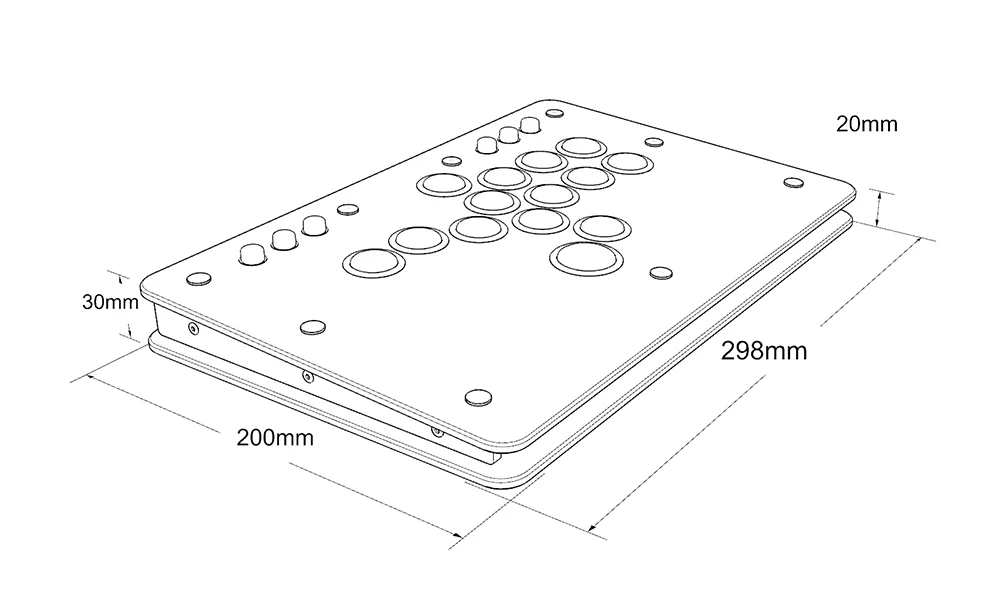
(幅)約300mm × (奥行)約200mm × (高さ)約32~22mm
ボタン:PWS V1
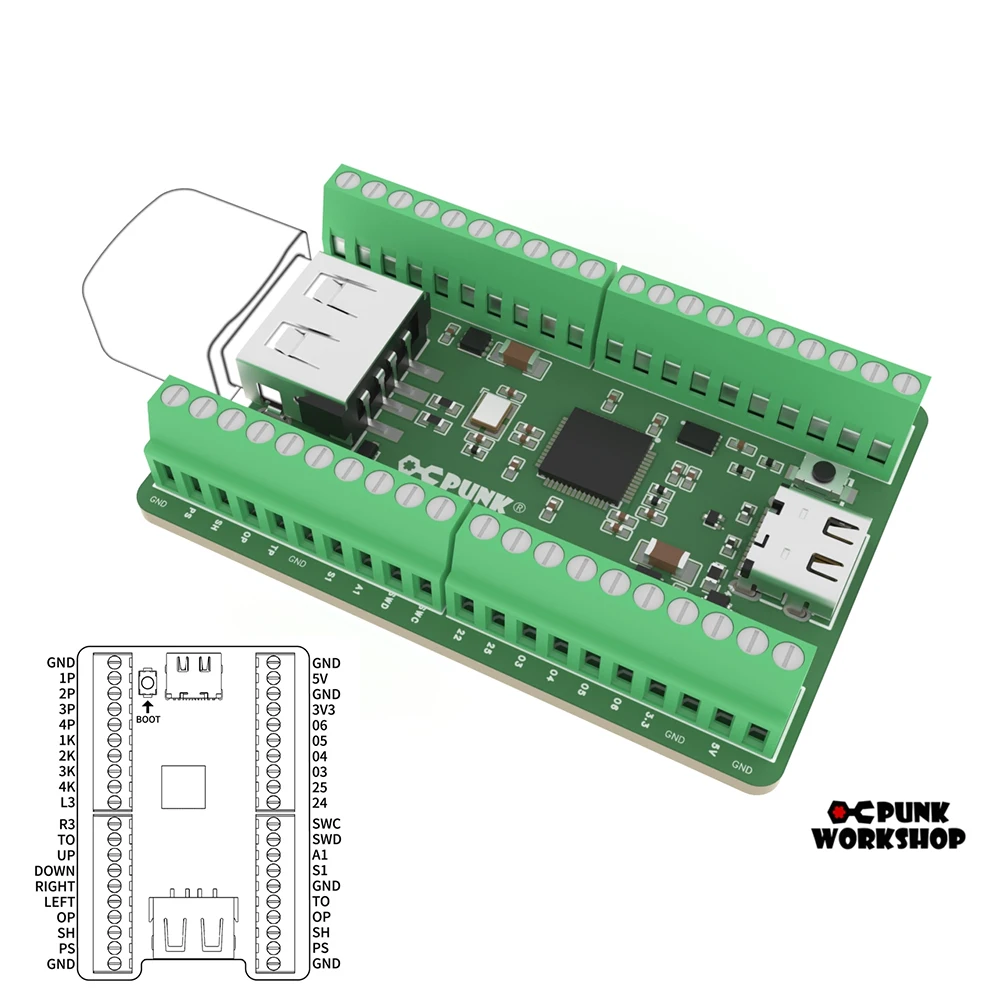
PUNK WORKSHOPオリジナルチップ(PKB 2040)or Brook Gen-5 Fighting Board
MINI BOX本体
滑り止めシール×2
USB-A to USB-Cケーブル
PWSオリジナルコントローラーケース
出荷時期により、上記以外の同梱スペアパーツの内容が変更される場合があります。
The Fighting Gamer controller is a unique controller not only because it allows you to input SOCDs, but it also gives you the the ability to switch among many SOCD Resolutions. The Fighting Gamer controller has 3pcs Mechanical Buttons and 1 Mechanical Buttons on the left side of the controller, instead of the traditional analog joystick, with 8pcs Mechanical Buttons for the action buttons on the right side of the controller. The Fighting Gamer controller is compatible with PC/Android by using Zero Delay Arcade USB Encoder with SOCD Supported.
Features:
4pcs mechanical push buttons as directional keys
8pcs mechanical push buttons as action buttons
Great thing is, you can swap the switch to customize the Feel, Tension, and Actuation at your wish
Different Arcade USB Encoders inside available
2 buttons on the side as start and select buttons
Customs Panel are available
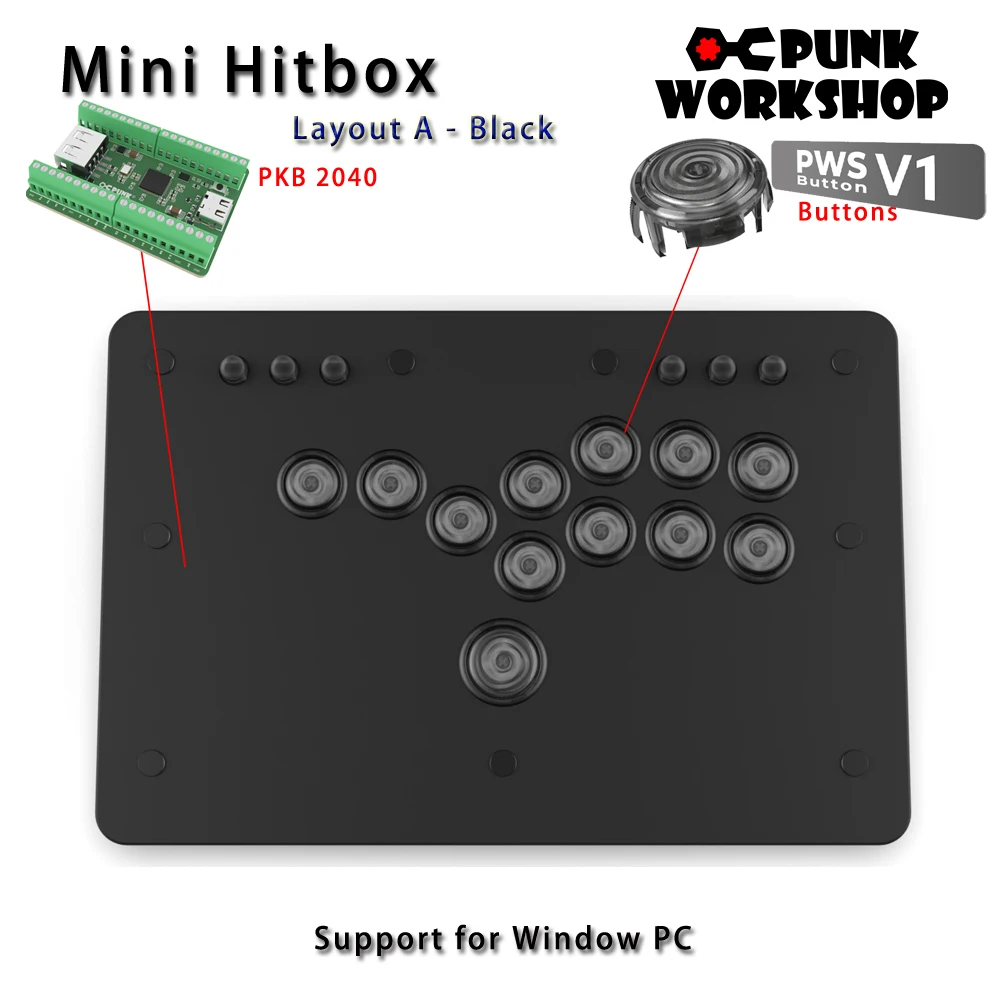
Specification:
Cable type: USB (Type B to Type A)
Buttons: socd lsdprs home back start L3 R3
Cable length: about 3m
Panel Material: Acrylic
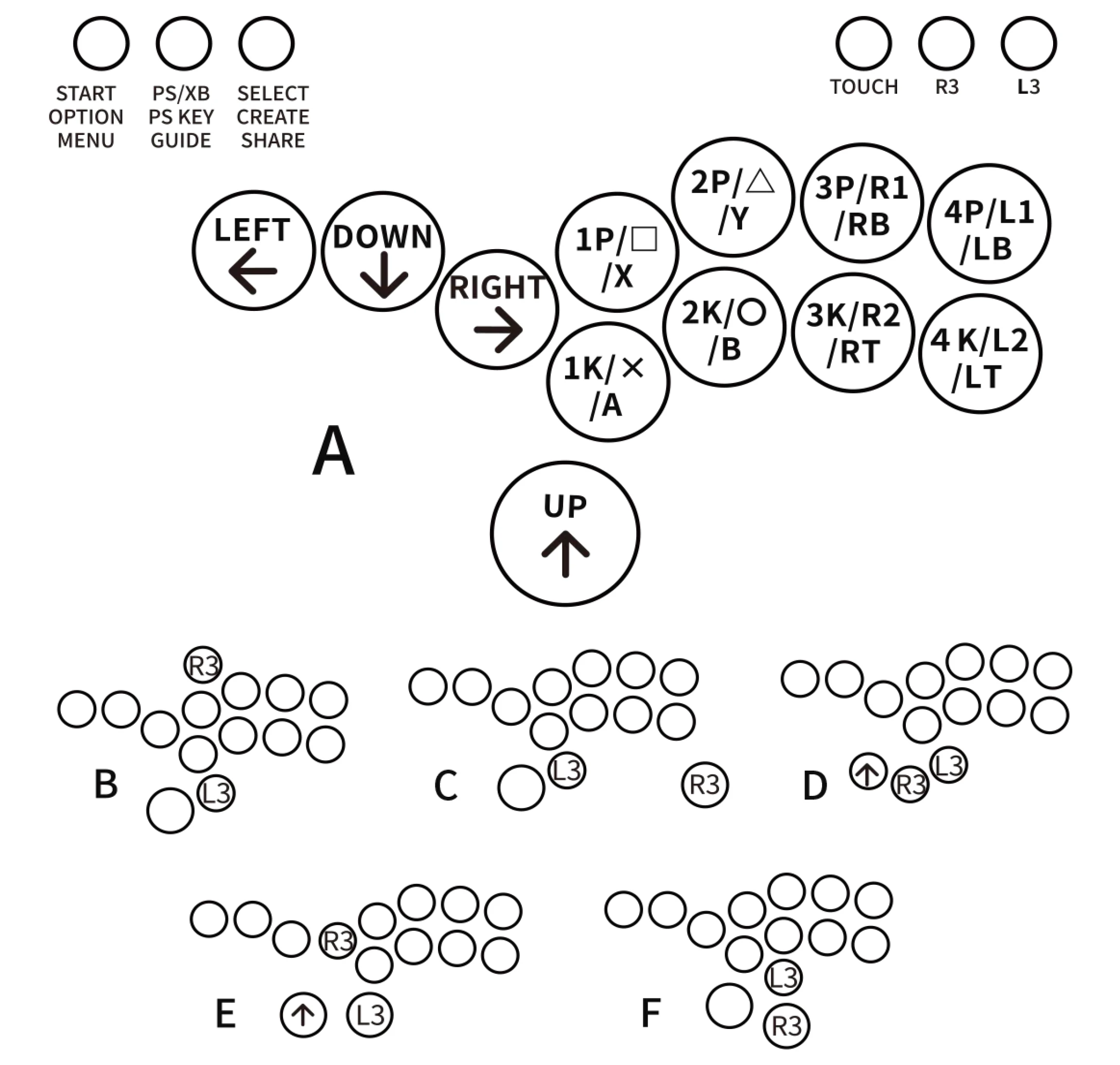
Buttons Function Layout:
About Punk Workshop PKB 2040 Board
The "PKB 2040" is designed specifically for fighting game play in PC environments, following the same specialized design as the previous boards. It will be shipped with a focus on stability, with unnecessary features turned off. Please note that the "PKB 2040" is intended for use with PCs, and support for use on other platforms is not available. However, it can be used on other gaming platforms, including PS5, by utilizing conversion devices such as the Brook Wingman FGC and Magicboots.
Note: "SOCD settings" refer to the function that controls the behaviour when opposing directional inputs are made simultaneously. In addition to the "SOCD settings," customers will need to perform additional configurations for other functions supported by the GP2040-CE.
SOCD Cleaner Mode Switching
All modes are activated by pressing the three buttons START+BACK+ Button at the same
time. Only one mode can be activated at a time.
START + BACK + 1P Neutral Mode. ↑and ↓pressed simultaneously results in a neutral input.
← and → when pressed simultaneously also results in a neutral input.
START + BACK + 2P Vertical Priority Mode, ↑and ↓when pressed simultaneously, the direction that
was pressed last takes priority. ← and → pressed simultaneously results in a
neutral input。
START + BACK + 3P Horizontal Priority Mode. When ← and → and pressed simultaneously, the
direction that was pressed last takes priority. ↑and↓pressed simultaneously
results in a neutral input.
START + BACK + 4P Last Input Direction Priority Mode. When↑and↓are pressed simultaneously,
the direction that was pressed last takes priority. When ← and → are
pressed simultaneously, the direction that was pressed last takes priority.
START + BACK + 1K. ↙→ Input Optimization Mode. Makes inputting ↙→ command easier.
SOCD function is the same as Vertical Priority Mode.
START + BACK + 2K ← ↙↓↘→Input Optimization Mode. Makes inputting ←
↙↓↘→ command easier. SOCD function is the same as Neutral Mode.
START + BACK + 3K ↓↘→ Input Optimization Mode. Makes inputting ↓↘→ command easier.
SOCD function is the same as Neutral Mode.
START + BACK + 4K Switches stick input between analog stick and LS.
Artwork hitbox film
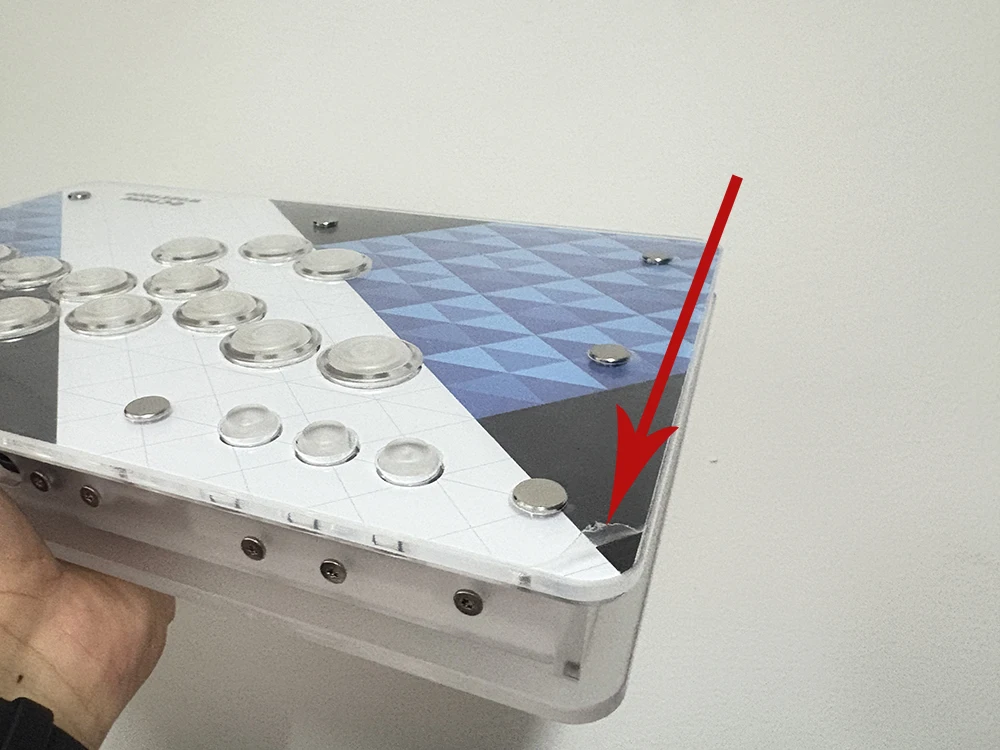
Each artwork hitbox is covering with protective film, if you get the hitbox with some scratches, don't worried, please just just remove the protective film from one corner. Hope you enjoy it.