

Akko FUNBOX Hall Effect Leverless Controller, PC/PS4/Xbox/Switch


Akko FUNBOX Hall Effect Leverless Controller, PC/PS4/Xbox/Switch
- Free worldwide shipping
- Pre-ship QC
- Tracked delivery
- Arrives Nov 10 – Nov 19
- Import duties included
Defective, damaged or wrong item? Free replacement or refund — just send us a short video. Details
Product details & specifications
The Akko FUNBOX is a Hall Effect magnetic leverless arcade controller built for competitive play.
- Contactless Hall Effect magnetic switches, hot-swappable
- Rapid Trigger down to 0.005mm, 50KHz scan rate, 8000Hz polling on PC
- 2-inch full-color LCD for mode switching, on-board memory, SOCD and key testing
- Works with PC, PS4, Xbox, Switch and Android; PS5 needs an extra Brook adapter
- Options: Black, or Brook Wingman Bundle
SPECIFICATIONS
Applicable Equipment: Xbox,PC,Laptop,Tablet PC,Playstation,Nintendo Switch,Arcade Machine,Others
Brand Name: AKKO
Cable: Detachable Type C
Choice: yes
Compatible Systems: Windows
Connection Interface Types: USB-C Interface,USB interface
Gasket Mount: No
Hot Swap: Full Key Hot-swappable
Keyboard Connection Method: Wired
Keyboard Material: ABS
Keyboard layout: Others
Keyboard type: mechanical keyboard
Keycap Language: English
Lighting Effect: No
Origin: Mainland China
Polling: 8000hz
Rechargeable: No
Support for driver software: Yes
Switch Brand: Kailh
Switch Life: 100 million+ keystrokes
Wrist rest: No
keyboard switch type: Magnetic switch
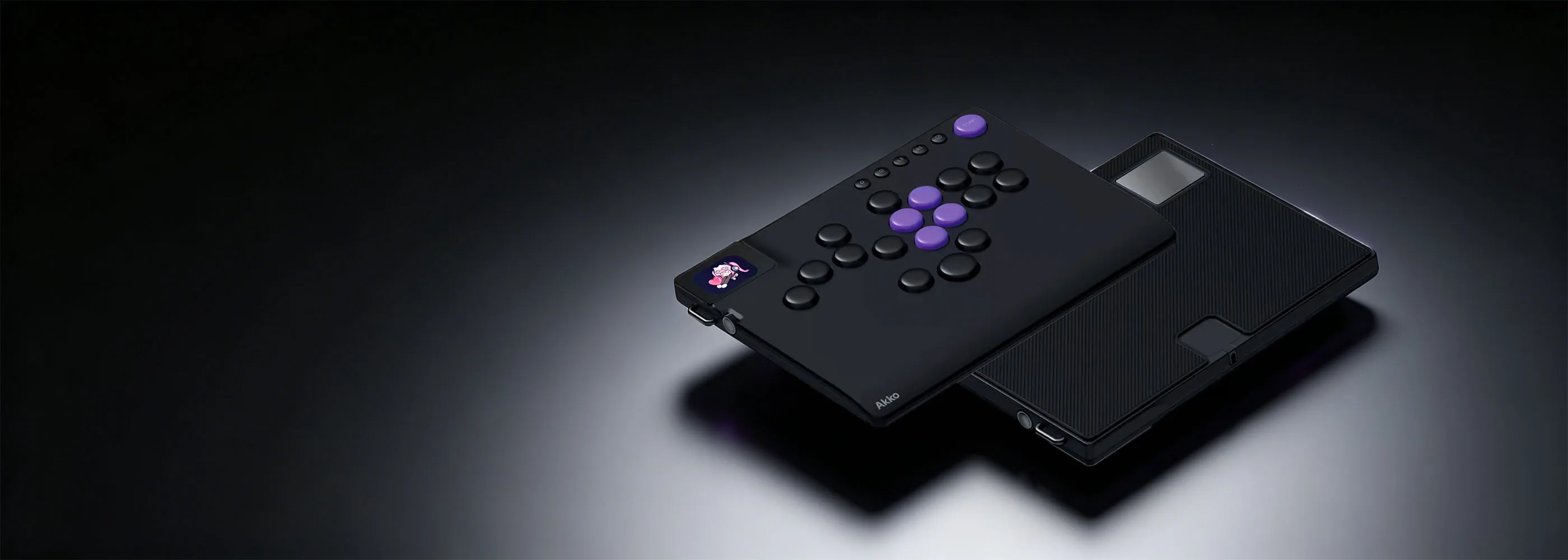
FUNBOX Arcade Controller
Akko’s leverless arcade controller, engineered for competitive play and built to last.
Hall Effect Magnetic Switches — contactless design, zero wear, hot-swappable
Up to 0.005mm Rapid Trigger — 50KHz scan rate, 8000Hz polling on PC
2″ Full-Color LCD — Mode Switch, On-board Memory, SOCD, Key Testing, Image Upload (under 500KB)
Multi-Platform — PC, PS4, Xbox, Switch, Android out of the box (PS5 requires additional adapter from Brooks Gaming)
Note: Before first use, we recommend calibrating your FUNBOX in the Akko Cloud Driver to ensure optimal Hall Effect performance.
Full-Color LCD Display
Startup animations are fully customizable via the driver, letting you make the controller truly your own.
Note: The boot animation is not adjustable; you can upload the lock screen after booting up.

Aluminum Multi-Function Dial
A premium quick-dial for fast, intuitive access to settings and mode switching.

Hot-Swappable Design
Compatible with Kailh low profile HE switches & Kailh 3-pin low profile mechanical switches.

Key Specs & Features
17-Button Multi-Platform Layout
Supports a wide variety of button configurations via the driver, compatible with a broad range of fighting games.
High-Precision Rapid Trigger
Fully adjustable from 0.1mm to 2.8mm. Tune for lightning-fast inputs or a more deliberate press — entirely up to you.
Premium EDM Finishes
The EDM finishes surface resists shine and fingerprints even after extended use, keeping that smooth, premium feel every time you play.

Hot-Swappable Design
Comes with Kailh Star Mini 2.8mm Low-Profile Hall Effect Magnetic Switches as standard. Hot-swappable to Kailh low-profile mechanical switches for a fully customizable feel.

Star Mini Magnetic
Low-Profile Hall Effect Magnetic Switch · Included with FUNBOX
Type: Magnetic Switch (Hall Effect)
Actuation Force: 30 ± 10 gf
Total Travel: 2.8 ± 0.25 mm
Initial Magnetic Induction (N Pole):
280 ± 20 Gs
120 ± 15 Gs (PCB 1.2mm)
100 ± 15 Gs (PCB 1.6mm)
Push to Full Magnetic Induction (N Pole):
3500 ± 200 Gs
850 ± 80 Gs (PCB 1.2mm)
600 ± 80 Gs (PCB 1.6mm)
Durability: 100 million+ keystrokes
Material: POM / PC / Nylon
SOCD Modes & Tournament Lock
FUNBOX supports four built-in SOCD modes, letting you choose how the controller handles conflicting directional inputs.
When Tournament Lock is on, only one ↑ can be active at a time — keeping your gameplay within official competition rules. Toggle on or off as needed.
Note: After Tournament Lock is enabled, Home, Turbo, Select, and Start buttons are disabled.
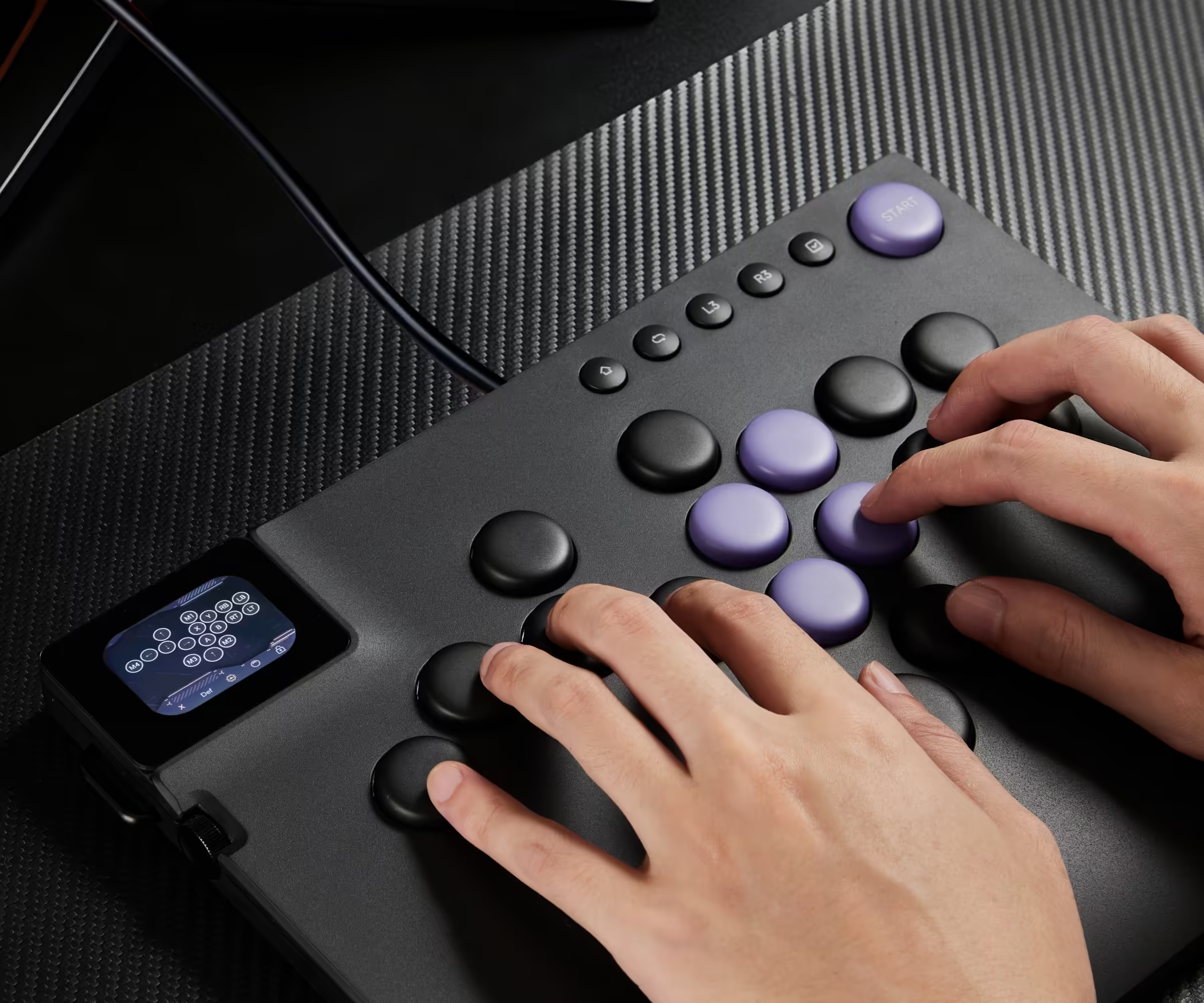
Customize Freely with the Web Driver
Button mapping, rapid trigger settings, LCD animations and more — all configurable intuitively from your browser. No installation required. Set it up your way, anytime, anywhere.

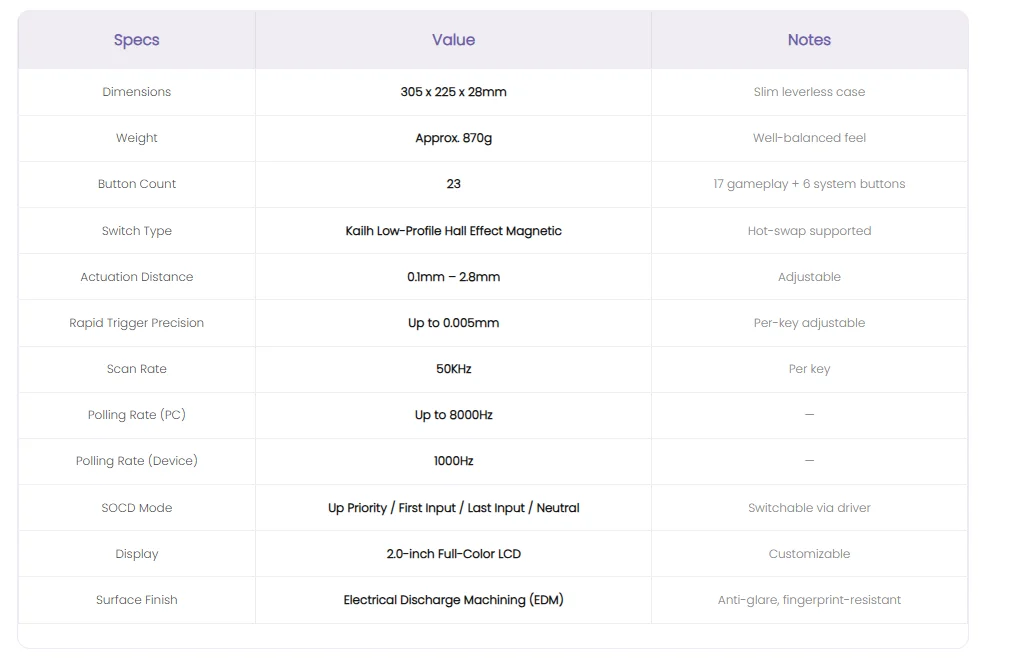
Technical Specifications
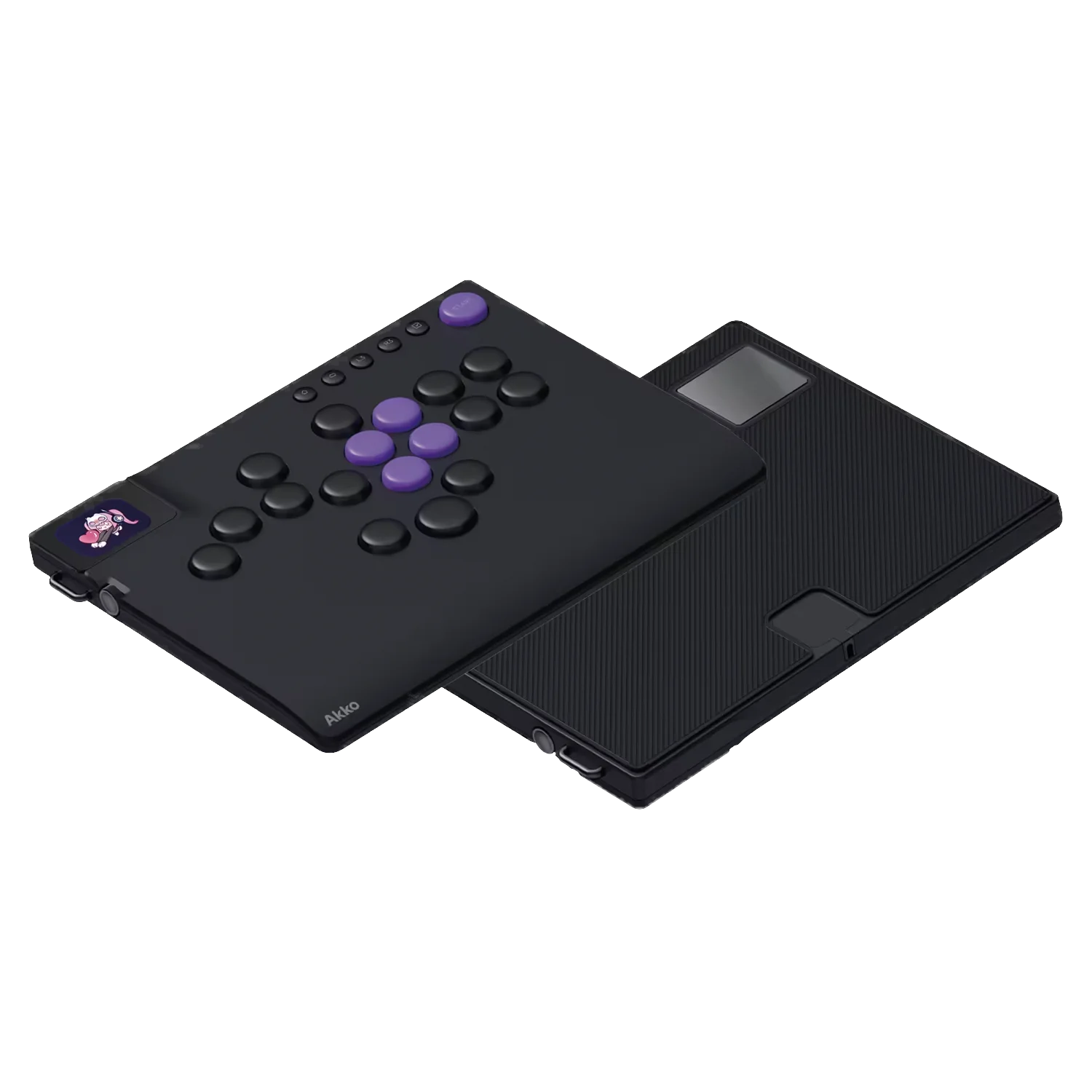
FUNBOX Standard
Everything you need to get started with leverless right away.
Akko FUNBOX Controller
Kailh Low-Profile Magnetic Switches (pre-installed)
USB-C Cable
Driver Software Access
FUNBOX + Brook Wingman Bundle(Brook Wingman is only included in bundle option.
Play on PS5, Xbox and more with the included adapter.)
Play on PS5, Xbox and more with the included adapter.
Akko FUNBOX Controller
Brook Wingman FGC2 Adapter
Kailh Low-Profile Magnetic Switches
USB-C Cable
Driver Software Access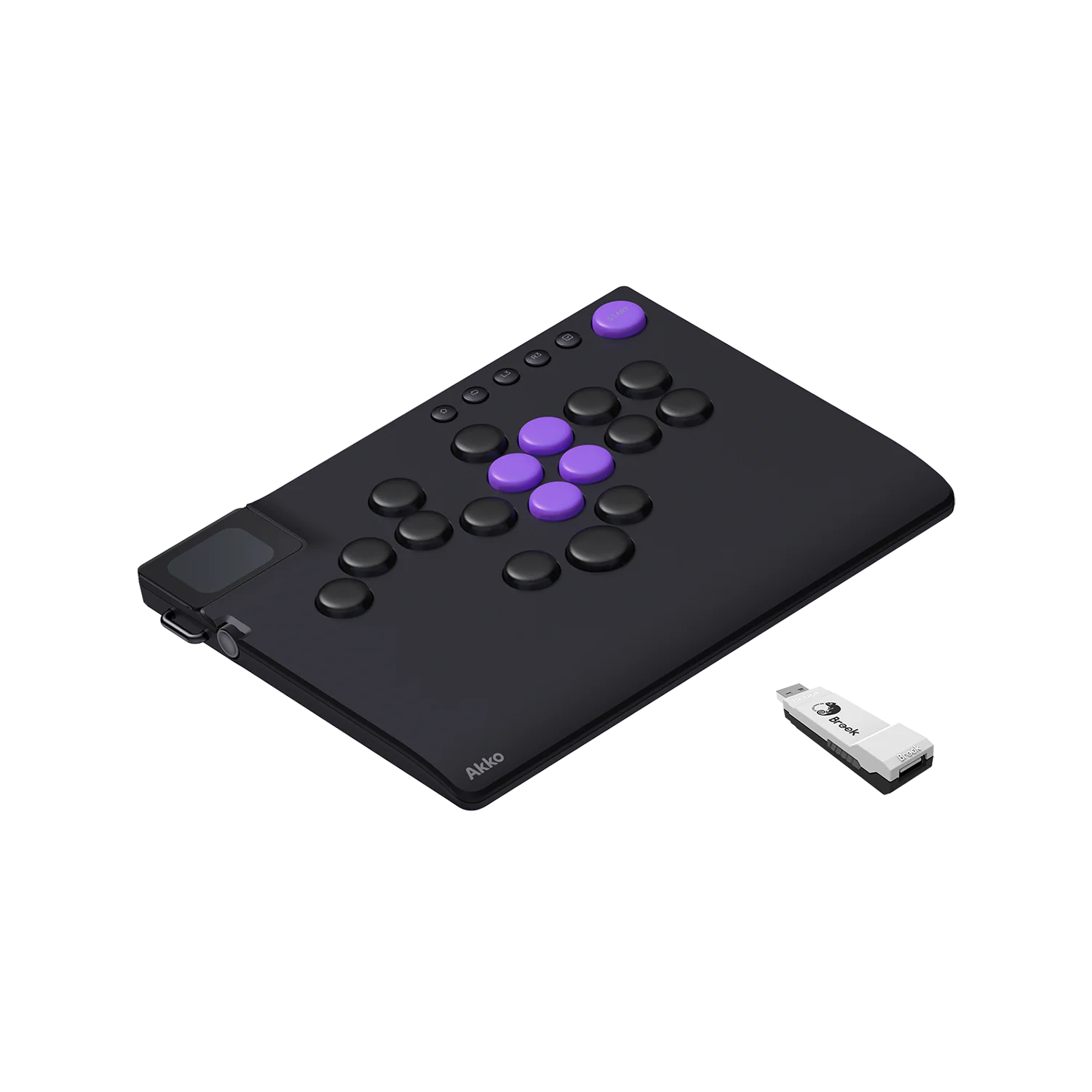 FAQ
FAQ
1.What platforms is FUNBOX compatible with?
PC
• Connection: USB-C direct
• Notes: Supports polling rate up to 8000Hz
PS5
• Connection: Brook Wingman FGC2
• Notes: Adapter required — connect FGC2 to the PS5, then plug FUNBOX into the adapter. Available as a bundle.
PS4
• Connection: Controller Auth Mode
• Notes: Connect your original PS4 controller to the bottom port of FUNBOX using the included extension cable.
Xbox
• Connection: Controller Auth Mode
• Notes: Connect your original Xbox controller to the bottom port of FUNBOX using
the included extension cable.
Switch
• Connection: USB-C / OTG
• Notes: Works via Dock or direct to console. Direct connection requires an OTG
adapter (not included). Refer to the product manual for setup diagrams.
2.What is the slot and USB port on the bottom of FUNBOX for?
The slot is designed for controller authentication, enabling compatibility with PS4 and Xbox via Controller Authentication Mode. A custom ultra-flat USB cable has been developed specifically for this port — tested to ensure FUNBOX sits flat and stable on any surface without wobbling. If you are not using FUNBOX with PS4 or Xbox, this port can be safely ignored.
3.Does FUNBOX support the Brook Wingman FGC1?
FUNBOX is not compatible with the Brook Wingman FGC1. The FGC1 and FGC2 have significantly different internal architectures. For PS5 play, we recommend the Brook Wingman FGC2, available as a bundle with FUNBOX.
4.What polling rates does FUNBOX support on each platform?
PC: Up to 8000Hz
PS5: 1000Hz
PS4: 1000HZ
Xbox: 125Hz
Switch: 125Hz
5.How do I upload a custom image or GIF to the LCD display?
Upload your custom image or GIF through the web driver. Once uploaded, scroll through the
LCD gallery using the side dial, then press the dial to lock in your selection.
Supported formats: JPG, PNG, and GIF. Minimum resolution: 296 x 240 pixels.
Note: Only the standby image/GIF is customizable. The startup animation is fixed and cannot
be modified.
6.How should I clean the FUNBOX surface?
Use isopropyl alcohol with a soft microfiber cloth to clean the surface. Do not use lighter fluid,
naphtha, or other harsh solvents - these will damage the EDM finish and coating Akko is not
responsible for damage caused by improper cleaning agents.